
Key Takeaways
- Running online seminars and video calls from a camper van is fully feasible with the right equipment for power, internet, and lighting.
- A MacBook Pro 16-inch with Apple Silicon is the recommended laptop for mobile work due to its all-day battery life, even when driving external screens and lights.
- A high-capacity USB-C power bank (e.g. Anker/Inui 27,000 mAh, 140 W) and a portable power station (EcoFlow River Pro) cover power needs in the van and can even double as a UPS for livestreams.
- A dedicated mobile 5G router (GlocalMe or Netgear Nighthawk G6) delivers far stronger connectivity than using a smartphone as a hotspot, and eSIM support allows flexible data booking abroad.
- A Deutsche Telekom maximum flat-rate plan with a 5G router additional card provides unlimited data in Germany and up to 90 GB in the EU; a daily pass for €6.95 extends unlimited data abroad when needed.
- A folding notebook stand (e.g. Targus) raises the webcam to eye level, preventing the unflattering "nose-hair perspective" common with laptops placed flat on a table.
- A portable dual 12-inch monitor set connected via USB-C turns a single laptop into a three-screen workstation on the road for around €182 net.
- An iPad can serve as an additional display natively on Mac (no extra software required); the Reflector app mirrors an iPhone or iPad to share its screen in video calls.
- The Logitech LITRA Glow (USB-C, ~€55 net) provides adjustable, travel-friendly lighting ideal for video calls in low-light environments such as a camper van.
- Co-working spaces abroad (e.g. Tirana, Albania at €10/day) often offer high-speed internet, a desk, and refreshments — mobile work is frequently easier outside Germany than people expect.
You are currently viewing placeholder content from Default. To access the actual content, click the button below. Please note that data will be passed on to third-party providers in the process.
More information
Introduction
Great to have you with us again for another episode of Digital4Productivity. And in keeping with the summer season, here's a digital and native voluntary of the Digital Nomad episode, namely: What is my setup like when I'm on the road on vacation, traveling, holding online conferences or seminars?
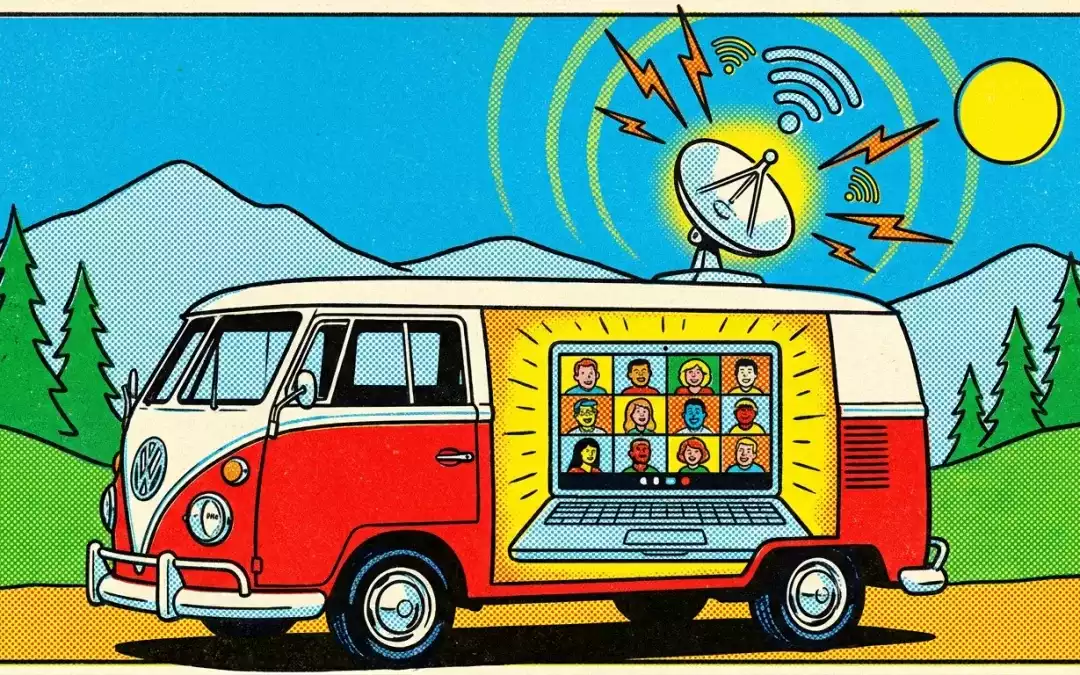
Giving seminars in a camper van - it's possible!
I recently posted this on LinkedIn, where I showed what it looks like when I give a seminar from our camper van. And I got a lot of questions about it, mainly asking: How do I do it with the internet? How do I do that with electricity? How do I do that with light? I'm happy to provide information and experience on how my setup works. Yes, let's start with the topic of electricity. I really, really like using my MacBook Pro 16-inch with the M1 processor when I'm out and about, because since the Apple Silicon processors, these batteries really do last a whole day when you're working normally. If, as I do in the online sector, you also power screens, lights and so on, then the battery doesn't last quite as long.
Power supply in a camper van
But I also have a power bank that puts out 100 watts of power. You can even fly with it and you can fully charge a MacBook once with it. Of course, there are also Windows devices that now have a much longer battery life. For example, if you look at the new Windows Surface devices, which are also based on Arm architecture as co-pilot PCs, there is also an idea that the battery lasts significantly longer. A note of caution with these devices, not all applications are also compatible in the Windows world. So we always have to check whether the software you are using is compatible for these devices. Of course, if you work with the classics like Office or Zoom or Teams, that works, but with special applications you always have to check. Ideally, you should get a laptop that will last as long as possible.
Point number two: I'll put a power bank and all the links to the parts I use in the episode too. As you know, there's my shopper link, shopper. Com/jekele-team and I always put the corresponding episodes there and also the links to all the things, to my accessories. So the power bank that I use, for example, is available from Amazon, and of course from other suppliers too, but the one I use is called the Inui Power Bank, 27,000 milliamp hours.
And that is the current maximum value with which you can still fly. It has a maximum of 140 watts, so you can easily fill a laptop with it. It also has a 45 watt and an 18 watt output. You can use it to charge your laptop, tablet and iPhone at the same time. Currently costs 66.24 without VAT. So it's a device that I can highly recommend and which I will of course also include in the show notes. If I'm traveling in the camper van for a longer period of time, there is of course the option of getting shore power if you're on a campsite. And we also bought another larger power bank for the camper van. So there are real power stations for electricity on the go. The one we have is an EcoFlow River Pro. And this EcoFlow River Pro is a box that's a bit bigger, like a six-pack of beer in terms of size, and it's a device like this. You can use it to output up to 100 watts directly. And if you buy something like this, whether it's a power bank or a power station like the ones you have for campers, then you should always make sure that you ideally don't have to go out of this power solution with another socket that converts again, because then you have to convert twice and converting twice makes no difference at all That was one reason why I chose the EcoFlow River Pro.
It also has two sockets that can also output up to 1,000 watts for a short time if you want to connect the Föl, for example. You can connect cigarette lighters, you There are three USB-A sockets and one USB-C socket. And the interesting thing about the USB-C is that it has 100 watts of power delivery. That means you can also connect notebooks like my MacBook Pro, which charges at 100 watts. So that's about power, an eco-flow. Incidentally, you can also use it as a UPS. In other words, you can also say that I can put power in on one side and plug the MacBook in on the other side, for example, and then it is such that when power is connected, it is fed through. The moment the power fails, you still have a UPS at the same time. That's why I usually use it for our livestreams. This means that if we have a power failure, we can easily go back to this topic again. It also lasts a relatively long time. That's why I can highly recommend it, and of course there are other models too. Yes, the next question is: How do we deal with the internet?
Internet connection in a camper van
Of course, you have the option of using your cell phone or iPad as a hotspot. With the iPad you have to take a look and ideally you should only do this with an iPhone model that already has 5G. But even if you have 5G, my experience is that external wireless routers are significantly more powerful than internal ones and that's why - you may remember - I recommended and used the Netgear Nighthawk G6 for years. I have to confess to my shame: I recently left it in Zug and still just lost it, unfortunately. If anyone finds it, I would of course be delighted if you would return it to me. Joking aside, unfortunately I have already written it off for myself, but I have another one that I can also highly recommend. I didn't buy the Netgear because it has a huge advantage for me. It's really much more powerful than what you get with a cell phone when you use it as a hotspot, but unfortunately it's not eSIM-capable anyway. And I've now got the GlocalMe as an e-SIM-capable router. And the GlocalMe also has 5G and what's really, really great about it is that it's 5G-capable and you can not only put a SIM card in there, but you can also book eSIM tariffs.
Now I have the most expensive tariff from Telekom, the maximum flat rate, and the maximum flat rate costs just over 100 euros. You also get several additional cards. I have an additional card that I have in my iPad. I have an additional card in this router. And you can use it in Germany, you have unlimited 5G volume. Abroad, as long as it's EU, you have 90 GB accordingly. Maybe for you as an empirical value: the other day I did, wait a minute, I just have to look, from 8:45 a.m. to 4:30 p.m., a typical seminar day, I did a Zoom call, an iPad training for buderos, and I used 35 gigabytes. So if you surf all day, you need about 35 GB for a Zoom call. And you can do that twice, or three times if you're running low. You have to be brave. Abroad, as long as you are in the EU, you can also book a Day Pass with Deutsche Telekom, for example. This costs 6.95 and gives you unlimited data volume for one day. I booked it that day because I wasn't sure: "Well, how much do I need?" and then the 90 GB were not touched.
I used the GlobalMe with the additional Telekom card, but the point for me was that when I travel to countries outside the U, there's the option of saying that I can book something via Telekom, but I also have the option of booking E-SIM tariffs via the GlobalMe. And they're not the cheapest, but you always have 5G. But you should always look at this at the same time. Of course, the cheapest option is to get a pre-paid card in the country. We are currently traveling to Albania, for example, and Vodafone offers a 35-gigabyte prepaid data card for 17 euros. It's just always important to me to say that if I'm somewhere outside of opening hours, I can't get a card, I need another one or Telekom, for example, doesn't have a supply, then I practically have the GlocalMe as a replacement. Yes, that's about the Internet. Perhaps an additional note, difference LocalMe on the subject of the Netgear Nighthawk. The Netgear Nighthawk also has the option of connecting external antennas. This of course boosts the signal even more.
The GlocalMe does not have this option. My experience is that the Netgear feels a bit stronger. But I've also seen tests that say it depends a bit on the location. Sometimes one is better, sometimes the other is better. The Global Me is significantly cheaper, it costs about half as much, 300 euros, the other 600 euros. And my personal experience is that the Netgear Nighthawk is slightly more powerful in terms of the connection, but I always get two bars of 5G. I also use it on the train, for example. On the train, I've often found that the free Wi-Fi is very overloaded because many people are watching soccer or Netflix movies. And if you don't want to watch Netflix on the journey home after the seminar, but want to check your emails instead, then it can sometimes get a bit crowded.
The setup and multiple screens
The next question is: On the bus, for example, I have a table or when I'm in a hotel room, there is of course always easier to have the option of a table. But when you're working with a laptop, experience shows that they're always too low. This means that when you look into the camera, you always have this nice nose-hair perspective where you look down on the participants from above.
And that's not nice because they always have the feeling that they are looking down on the participants from above and they feel reminded of their school days. Unfortunately, at least they have a positive memory of their school days. With this in mind, I recommend that you get the device a little higher. I have a wonderful notebook stand from Targus that you can fold up. Again, you get the link and it has several functions. Firstly, it is simply a USB. This means that I can connect it to the Mac and it also charges through the connection and I can attach another four USB ports to it and I can fold up the MacBook so that the webcam is at eye level. For me, the quality of the webcam in the MacBook Pro 16-inch is perfectly adequate. If you don't have a webcam in there or the quality isn't good, first tip: grab a lens cleaning cloth and clean the lens, because you usually touch where the camera is with your thumb when you open and close it, which also helps with the iPhone. I once got a great tip from Markus Wald.
A professional iPhone photographer who says: "Before you buy a new iPhone because the photos are so matchy-matchy, clean the lenses first. And that usually gives better results. So you see, it's not always the latest technology that you need, but first switch on your brain, then the technology. I set up this notebook stand from Tago so that I can fold it up. I then connect my Zenheiser PC7 USB headset to this USB hub, which currently costs 11 euros net on Amazon. That's the ZZ you're listening to right now, by the way. I'm now recording this podcast with the iPad using the Ferret app and have connected this ZZ directly with a USB-A/USBC adapter. I think it sounds pretty good, it also has built-in noise suppression, so you get good quality. As you know, I have four screens connected to my computer at home. How do I do that on the road? When you're out and about, there's the option of using the iPad on the Mac as a second display, and you can attach not just one, but two. Another alternative, if you are now working with a PC, for example, is the Duet Display application.
This also allows you to attach several additional screens. Personally, I prefer to use a 12-inch, dual monitor set for notebooks. You can get the link here too. The idea is that I put it on the back of the monitor, practically clamp it on and then I can fold out a 12-inch monitor on the left and right. And the good thing is that these monitors are simply connected to my MacBook via USB-C. The important thing is that you need a notebook that has at least two free USB-C ports. So I have the MacBook Pro there. With the MacBook Air you have to be careful, you only ever get one extra display with a MacBook Air. There are also special adapters that use tricks to solve this differently, but then you're back to using adapters, adapters, adapters. This is one of the reasons why I prefer to work with the Pro. With the Pro, I simply have this set of three and with the set of three I have the shame that I just fire it up with the short USB-C cable supplied and the whole thing costs just 182 euros net, so it doesn't cost a lot of money either. Incidentally, the displays that you fold out are 16 new ones, which I sometimes find quite practical, because when I'm typically presenting, for example, I have the gallery in Teams in the middle.
I have the preview in PowerPoint on one screen and I have the 16:9 slide on the other screen, which is exactly on the screen, and I always share one screen. And on this screen I can then alternatively, as I have now done in the iPad training, transfer my iPad or my iPhone with the Reflektor application and I simply always leave the release of this right screen free. I always know what is on the right-hand screen. The participants can see that. When it gets dark, the question is: how do I get the light right? And there are great solutions for that. For lighting, Logitech has the LITRA Glow, which I think is great. It's a small USB-C-powered light that you can put on top of your notebook. You can push it up a bit and you can also adjust the brightness and light color. It doesn't have a rechargeable battery, so it always has to go and then either I pack it again via USB-C, if I have enough free ports on the computer, or I simply have a separate power bank that I use to power it. It currently costs 55 euros net, can be unscrewed in two parts and gives a nice warm light that dazzles me.
For people who wear glasses, as I said, it's nice that you can set it a little higher. I think it's a really, really great light for traveling. You can even use it in an office situation, but when you're on the move, it's really great that you can store the headset in such a small pencil case and use it to accommodate this light.
As you can see, it's not rocket science, it's all feasible. Incidentally, if you work with the iPad as a second device, it's built into the operating system, so you don't need any additional software when working with Macs. Then there's another trick: you can attach magnetic holders to your MacBook monitor. You have two hinges that you can always fold away and you can use magnets to attach your iPad Pro, which you can then also attach two magnetic rings to, and then you have a second display. I sometimes even use this when I'm on the train or I simply hang my iPhone over this magnetic area.
These magnetic holders are really, really great. So I'll put the way to it in again. Yes, that's the background: when I'm in the camper, I turn my driver's seat around and have a screen in the windshield that you can open up, which then also covers the windshield, and a small battery-powered fan that keeps the temperature reasonably bearable. So that's my setup for once. Yes, just in time for summer, here's the Digital No NOMAD setup and how it works.
Conclusion
By the way, I look forward to your comments and additions. And one more tip: Stefan Dietz, a highly esteemed colleague of mine who deals with the topic of "Hurray! - Reducing the number of skilled workers" and the topic of how you can work as a digital nomad worldwide, has written a great book on the subject. I'll link you to it again and I'll also do another interview with him, because he has a lot of experience of the places in the world where you can work remotely and how. Most people think that mobile working is more difficult than in Germany.
My experience is that you often have even stronger internet abroad or even in countries where it is not expensive to work with mobile phones within the EU, like in Albania, for example, I have booked a place in a co-working space in Tirana for an appointment next week for a €10 daily flat rate and for €10 a day I have high-speed internet. I have my own desk, I have coffee and water there and everything tutto completti. So from the background. You just have to be a bit creative. True to the motto "Switch on your brain first, then the technology.
With this in mind, I hope that you have found something of interest to you and wish you a successful week ahead. Yours, Thorsten Jekel.
Frequently Asked Questions
Can you really run professional online seminars from a camper van?
Yes, running professional online seminars from a camper van is entirely possible. Thorsten Jekel demonstrates this regularly, using a turned-around driver's seat, a pull-down windshield screen, and dedicated equipment for power, internet, lighting, and audio.
Which laptop is best suited for mobile video conferencing on the road?
The MacBook Pro 16-inch with an Apple Silicon (M1) processor is the recommended choice for mobile video conferencing. Its battery lasts a full working day even when external screens and lights are connected, thanks to the efficiency of the Apple Silicon chip.
How do you power a laptop and accessories in a camper van without shore power?
Power on the road is covered by two devices: a compact 27,000 mAh USB-C power bank (up to 140 W output) that can fully charge a MacBook Pro once and is still airline-approved, and an EcoFlow River Pro portable power station that outputs up to 1,000 W and can even act as an uninterruptible power supply (UPS) during livestreams.
What is the best way to get reliable internet in a camper van?
The most reliable internet solution in a camper van is a dedicated 5G mobile router rather than a smartphone hotspot. Thorsten uses the GlocalMe router, which supports both physical SIM cards and eSIM tariffs, giving flexibility when travelling in different countries.
How much mobile data does a full day of Zoom video calls actually use?
Based on Thorsten's own experience, a full seminar day of Zoom calls — roughly 8:45 a.m. to 4:30 p.m. — consumed approximately 35 GB of mobile data. This figure is a useful benchmark when choosing a mobile data plan for intensive online work on the road.
Which mobile data plan does Thorsten recommend for working across Europe?
Thorsten recommends Deutsche Telekom's maximum flat-rate plan, which provides unlimited 5G data in Germany and up to 90 GB in EU countries. For days with heavy usage abroad, a Deutsche Telekom Day Pass at €6.95 adds unlimited data for 24 hours.
How do you avoid the unflattering "nose-hair perspective" in video calls when using a laptop?
The nose-hair perspective — where the camera looks up at you from below — is avoided by raising the laptop to eye level using a foldable notebook stand. Thorsten uses a Targus stand that also integrates a USB hub with four additional ports and pass-through charging.
How can you use multiple screens while working from a laptop on the road?
A portable dual 12-inch monitor set that clamps to the back of the laptop lid and connects via USB-C creates a three-screen workstation. Alternatively, an iPad can be used as a native second display on Mac without any extra software, or the Duet Display app enables additional screens on Windows devices.
What lighting solution works well for video calls in a camper van or hotel room?
The Logitech LITRA Glow is recommended for travel lighting. It is a compact USB-C-powered LED light that sits on top of the notebook, offers adjustable brightness and colour temperature, and costs around €55 net — small enough to store in a pencil case.
Is mobile working abroad really harder than working from home in Germany?
Contrary to common assumptions, mobile working abroad is often easier than in Germany. Thorsten's experience in countries like Albania shows that internet connectivity can be stronger and co-working spaces more affordable — for example, a full-day desk in Tirana with high-speed internet, coffee, and water for just €10.
Tools & Resources Mentioned
- iPad – used as a portable 5G hotspot, second display via Sidecar, and screen-mirroring source via Reflector
- MacBook Pro 16-inch (Apple Silicon M1) – primary laptop for all mobile seminar work due to all-day battery life
- Inui Power Bank 27,000 mAh (140 W) – compact airline-approved power bank for charging laptop, tablet, and phone simultaneously
- EcoFlow River Pro – portable power station for the camper van; doubles as a UPS for livestreams
- GlocalMe 5G Router – eSIM-capable mobile router replacing the Netgear Nighthawk G6 for travel connectivity
- Netgear Nighthawk G6 – previous 5G mobile router recommendation; supports external antennas for stronger signal
- Deutsche Telekom Maximum Flat Rate – SIM plan with unlimited German data and 90 GB EU roaming; Day Pass available for €6.95
- Targus Notebook Stand – foldable stand with integrated USB hub and pass-through charging, raises webcam to eye level
- Sennheiser PC7 USB Headset – budget USB headset (~€11 net) with built-in noise suppression used for podcast recording and calls
- Logitech LITRA Glow – compact USB-C travel light for video calls (~€55 net)
- Portable Dual 12-inch Monitor Set – USB-C-powered foldable dual-monitor attachment (~€182 net) for a three-screen mobile setup
- Reflector App – mirrors iPhone or iPad screen to Mac for sharing in video calls or presentations
- Duet Display – app enabling iPads or other screens as additional displays, especially for Windows users
- Ferrite Recording App (iPad) – used by Thorsten to record the podcast episode on iPad
- Microsoft 365 (Teams, PowerPoint) – used for online seminars and presentations on the road