
iPad app for the tempus planner · Version 2.0 coming soon
itempus: your planner for the iPad
As clear as your paper planner – as current as your iPad.
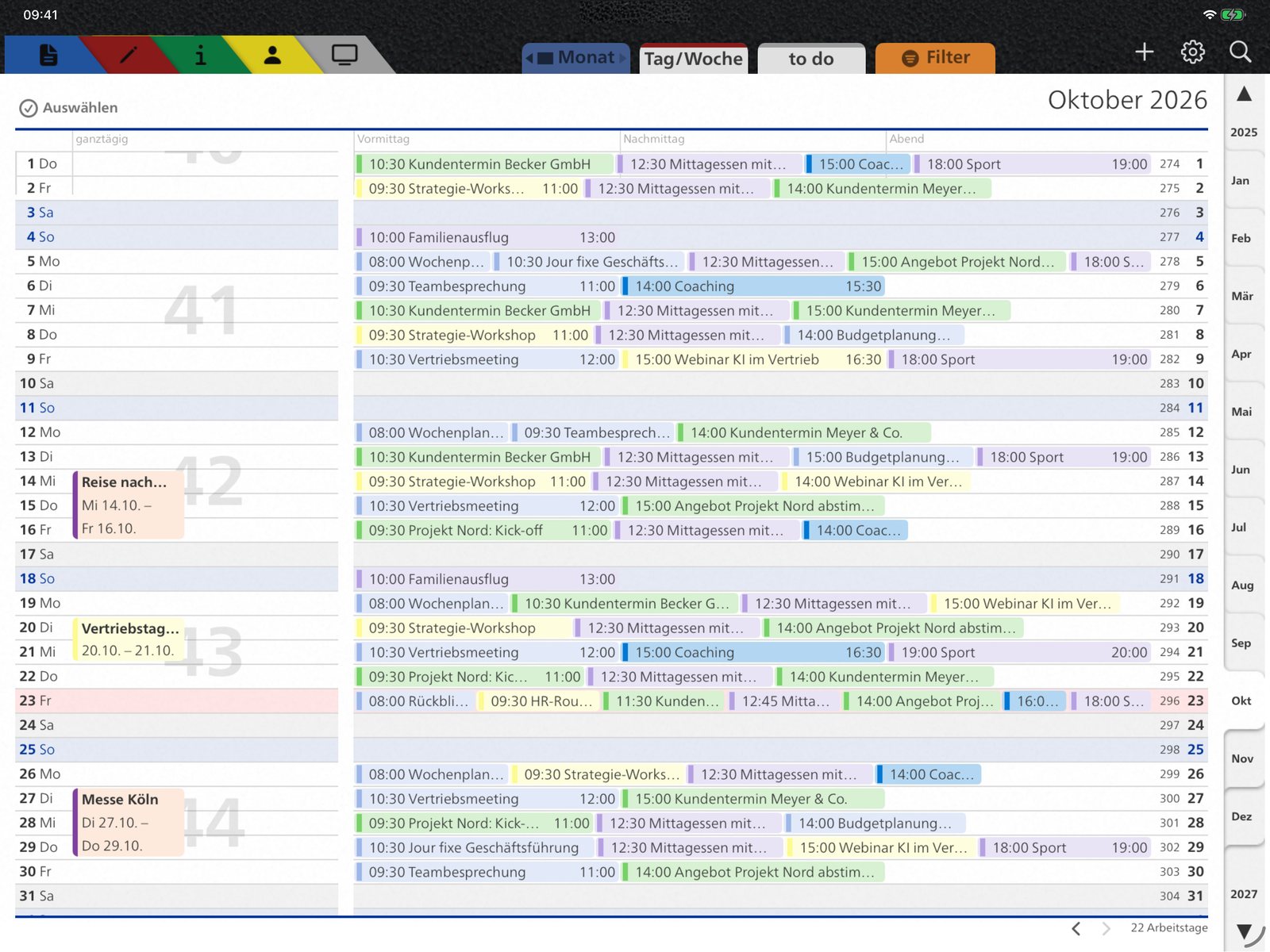
The whole month on one page: appointments, tasks, holidays and calendar weeks in the proven tempus layout – always in sync with the calendars on your iPad. Multi-day events appear as bars, and you scroll smoothly through days, weeks and months.
Version 2.0 is coming soon to the App Store. New: a new planner frame, “Undo” after moving an appointment and, with itempus Plus, a direct Microsoft 365 connection, the Daily Compass for Apple Pencil, a documents binder and a second time zone.
itempus Plus
From paper planner to planning system
itempus Plus turns your iPad into a complete planner: your Microsoft 365 calendar right in the planner, daily reflection with Apple Pencil, your key documents at hand and tools for your working day. Professional is always included.
Daily Compass
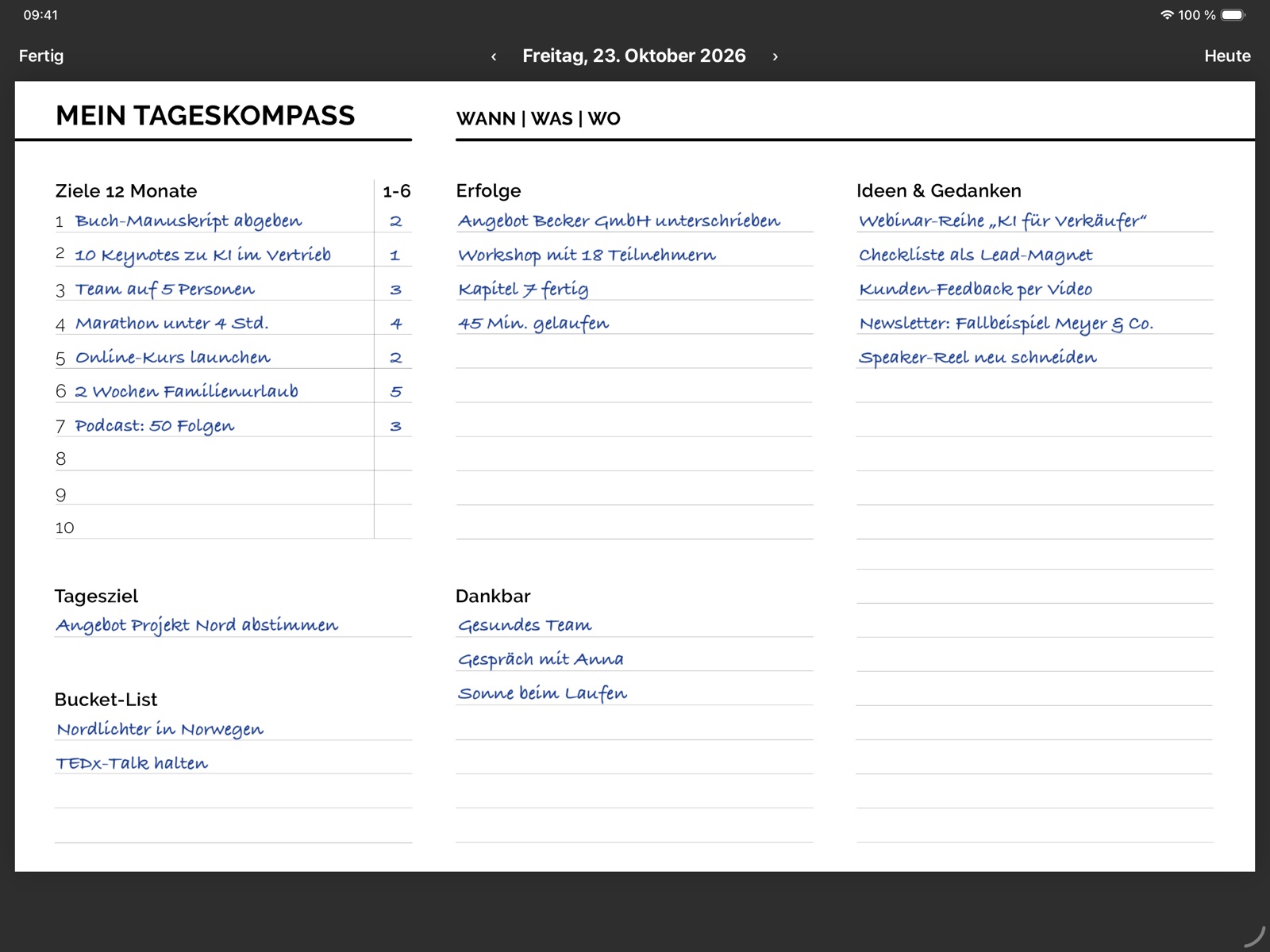
Your day on one page – with Apple Pencil
One page per day
Goals for 12 months, today’s goal, wins, gratitude, ideas and bucket list.
Handwriting like on paper
Write, highlight and erase with Apple Pencil.
Take your goals along
Copy goals and bucket list from your last entry at any time – or show them alongside and write them down again.
Protected and backed up
Optionally locked with Face ID. Every day is also saved as a PDF to your OneDrive or iCloud Drive.
Documents binder
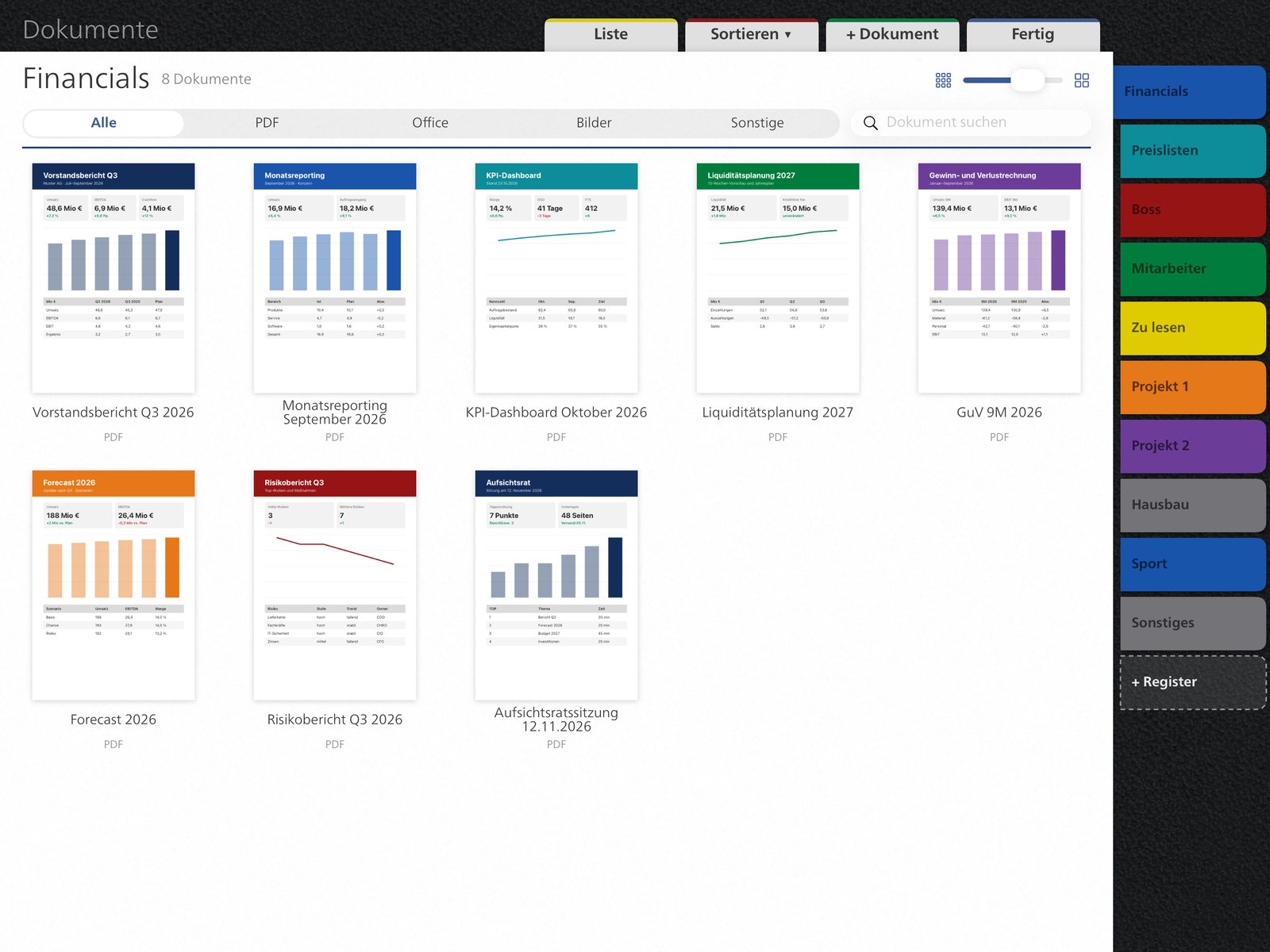
Your key documents – right in the planner
Tabs like a binder
Colored tabs for everything you need – from board reporting to price lists and projects to private topics like building a house or sport. Named as you like.
Linked, not copied
Files from OneDrive, iCloud Drive or the iPad. You always see the current version.
Found in seconds
Sort, filter by PDF, Office or images, and search by name.
Photo and scan
Capture new documents directly with the camera.
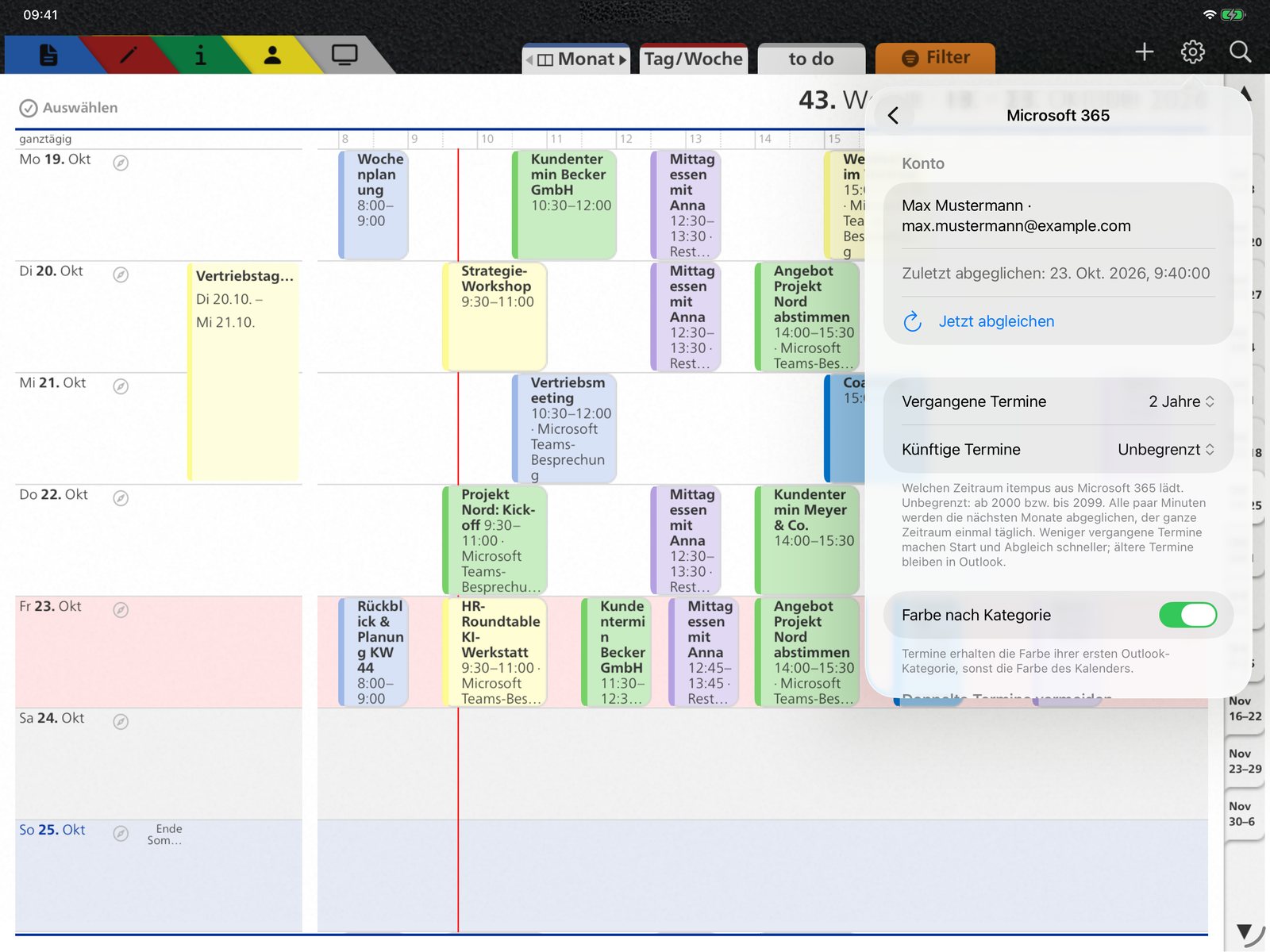
Microsoft 365
Your Outlook calendar – right in the planner
Connected directly
Sign in once with your Microsoft 365 account. itempus shows your Outlook calendars, including shared ones, without going through the iPad settings.
Colors within one calendar – only with Microsoft 365
Through the iPad’s calendars, each calendar has just one color. Only the direct Microsoft 365 connection lets you color appointments within one calendar differently: each appointment in the color of its Outlook category. And you can filter by category, for example client meetings only.
Edit like in Outlook
Create and move appointments, change series, open attachments, answer invitations and join Teams meetings.
Secure sign-in
Your data travels directly between your iPad and Microsoft. If your organization does not yet allow the sign-in, your IT approves itempus once.
Filter by status and category
Show only what matters: for example only appointments marked “Busy”, or only certain Outlook categories. Set separately for month, week and day.
Second time zone
A second location in day, week and month view – with local time, time difference and its own hour bar.
Your own info sheets
Your own sheets from a file, scan, photo or text. Change the order and hide sheets.
On all your devices
Daily Compass, documents and info sheets sync via your private iCloud. Share and back up notes.
29.99 € per year, Professional included. Owners of Professional get the first year at half price: 14.99 €.
New planner frame
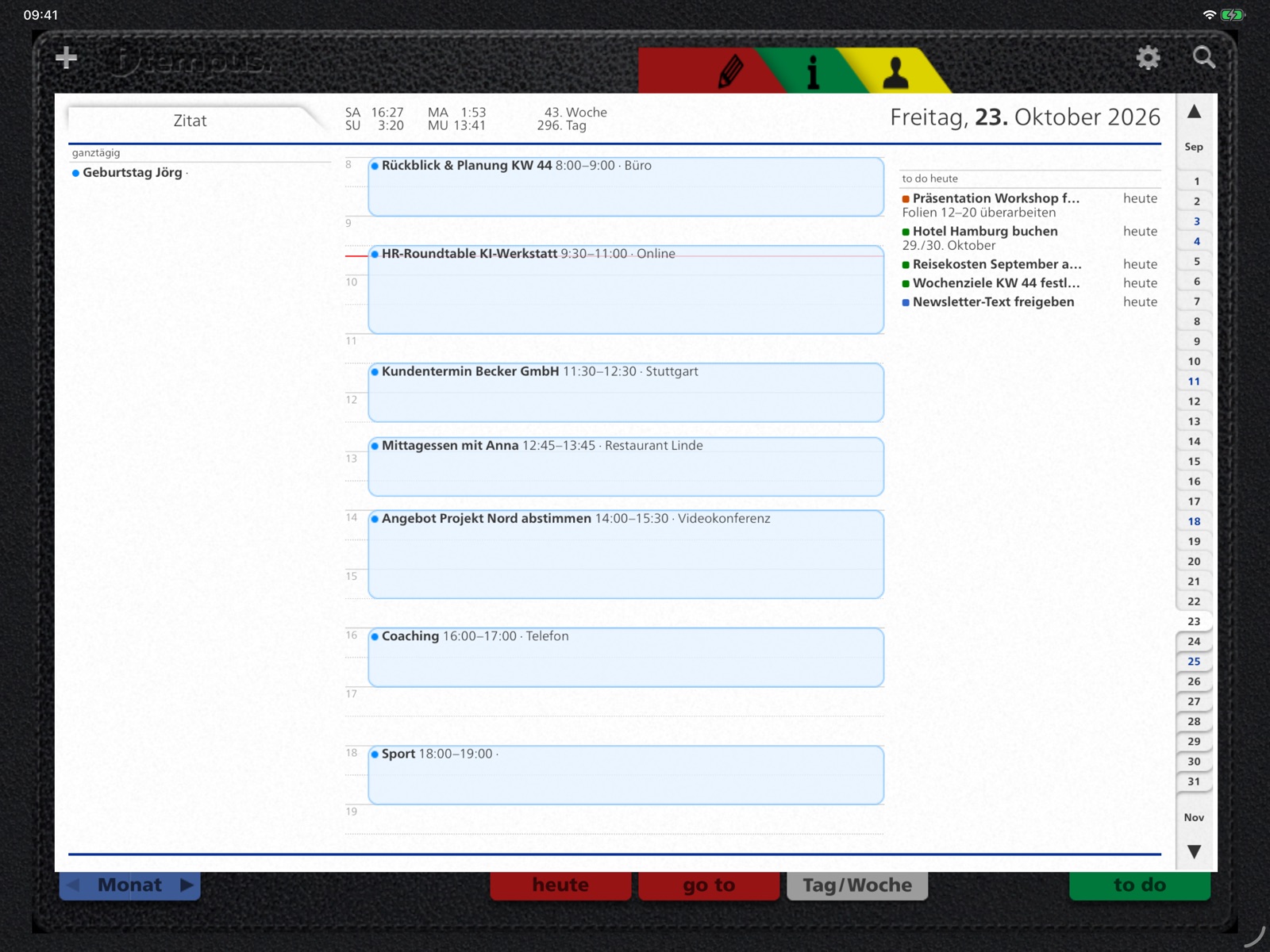
More room for your day
Before · 1.8
After · 2.0
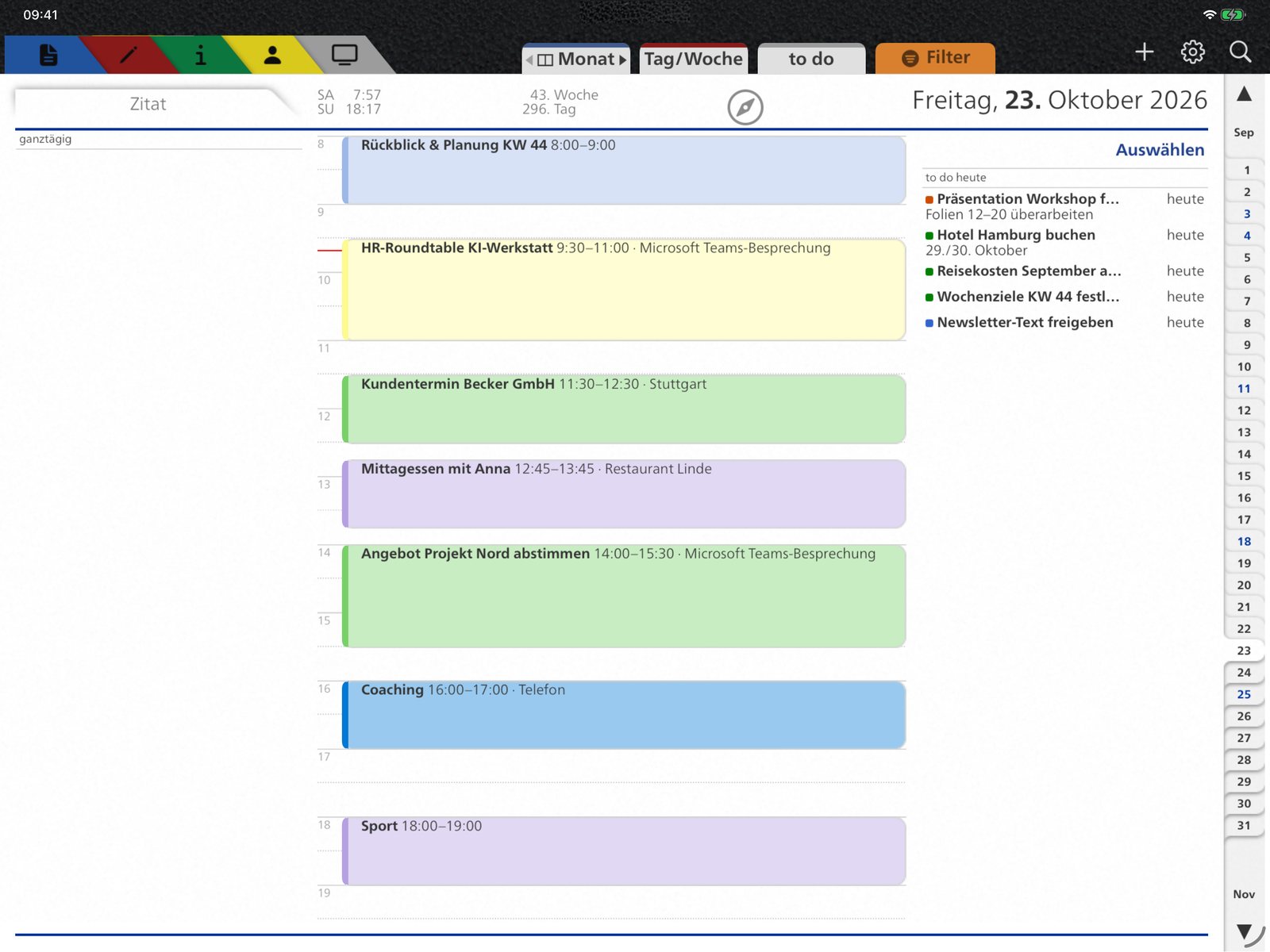
No more leather border: the page uses the full width. Tabs on top: month, day/week, today, go to, to do. Portrait: the page grows with it.
Day and week
New helpers for everyday planning
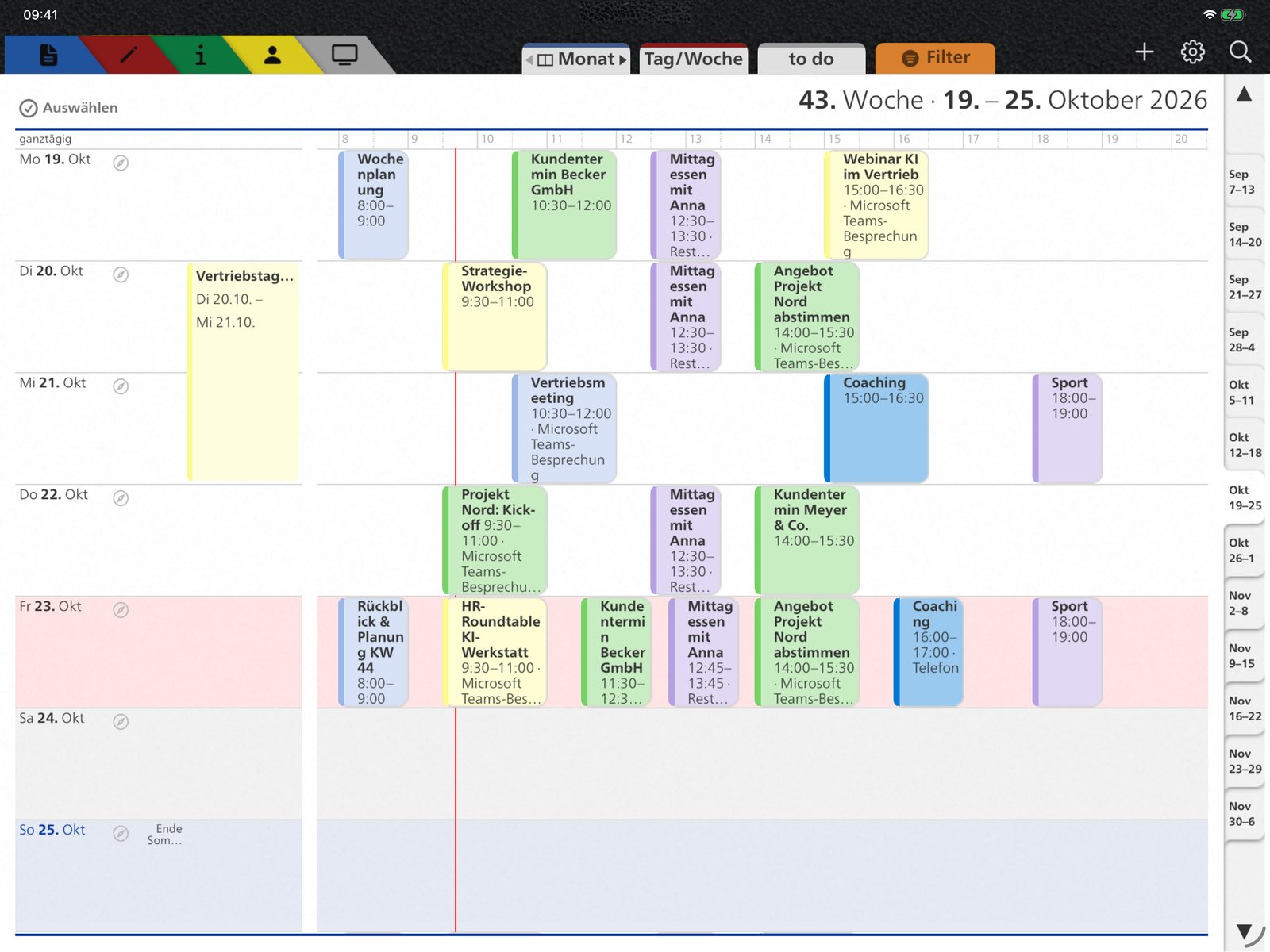
Week view 2.0: multi-day events as bars, compass icon for every day
- Multi-day events as bars: trips, trade fairs and holidays at a glance, in month and week view
- Smooth scrolling: month and week move on day by day; pinch with two fingers to show more or fewer days per page
- Drag appointments: even across week and month boundaries; “Undo” reverses the step
- New appointment by touch: press and hold a day to open the editor
- Select: mark several appointments and delete them at once
- Month with times: start and end of each appointment right in the line
- The day starts with your working day: the day view shows 8 am to 7 pm – earlier or later appointments stay visible
- Filter tab: “Go to” for date and calendar week, “Today” button; with itempus Plus filter appointments by status or category
- 10-day weather and a compass icon for each day’s Daily Compass
- Tasks: complete, move or delete several at once
- Trade fair calendar and holidays for Germany, Austria, Switzerland and other countries
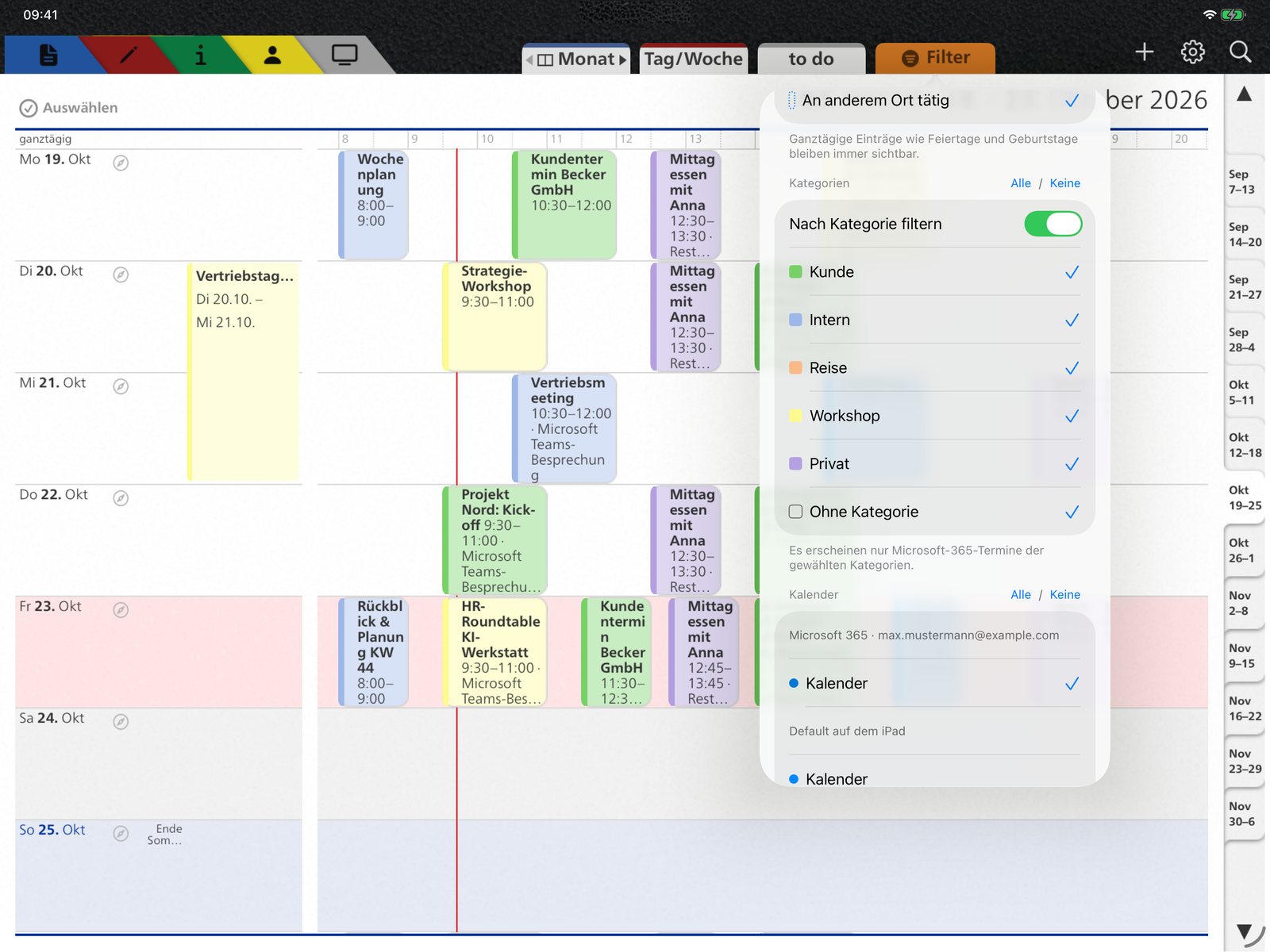
Filter tab: jump to a date or calendar week, back to today – and with itempus Plus filter by status or category.
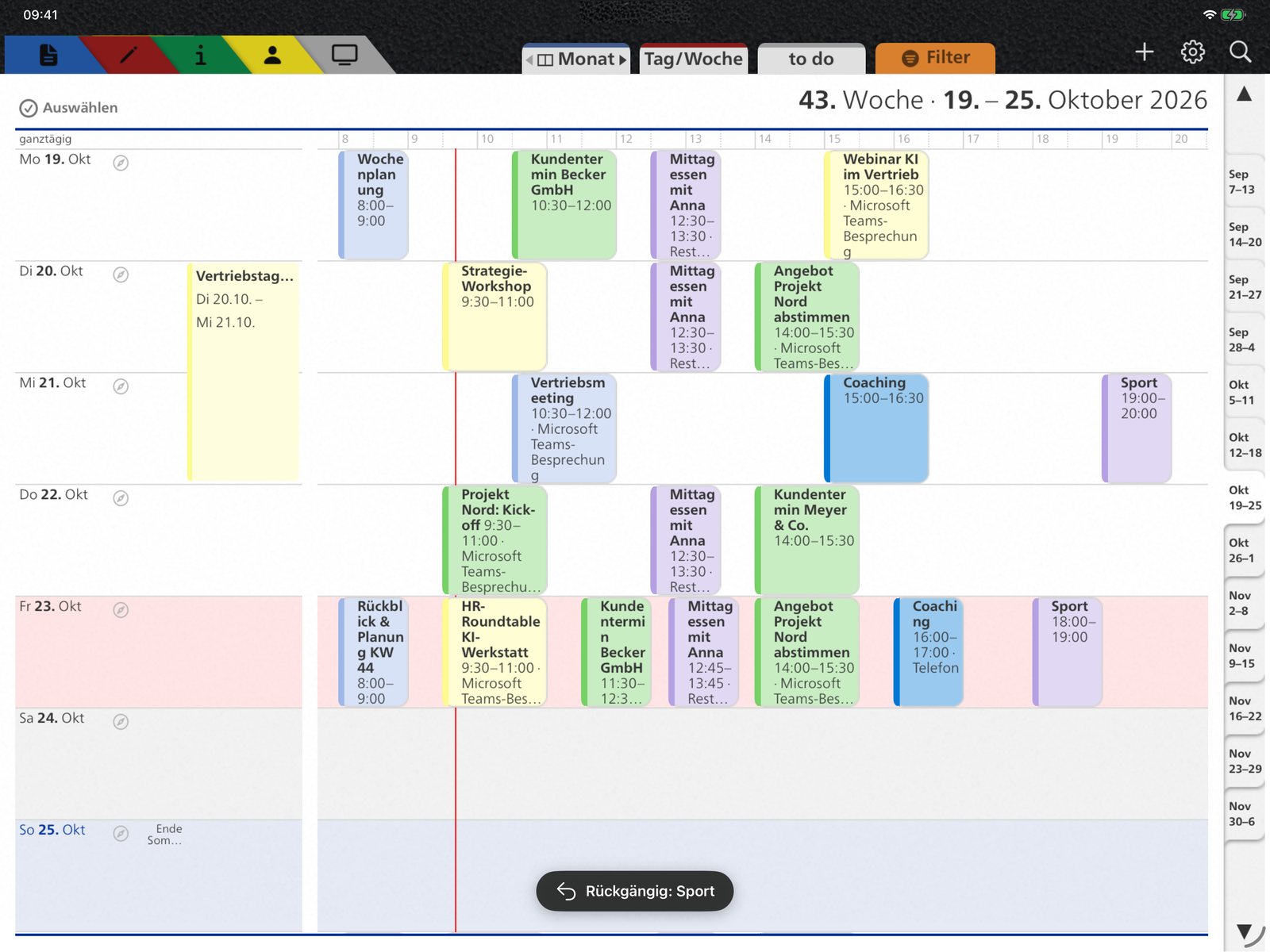
Undo: moved an appointment by mistake? One tap on “Undo” brings it back – after editing, too.
Your day in detail
Appointments, the day’s tasks, weather with a 10-day forecast, sun times and calendar week – with the month right beside it. A second tap on “Month” shows the month across the full width.
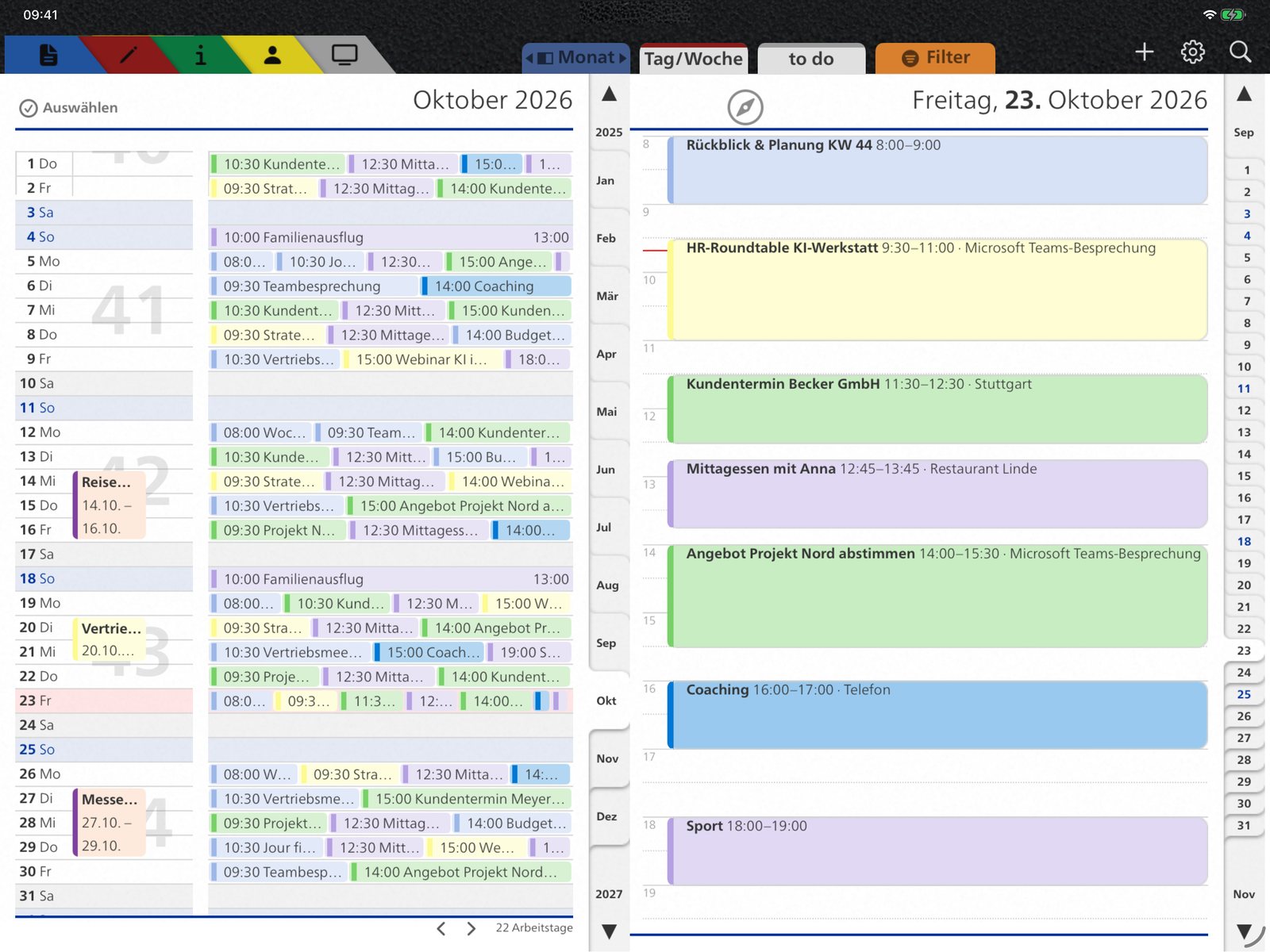
Knowledge in your planner
Tasks, info sheets and podcast

To-do list: your reminders by today, later and overdue – with multiple selection.
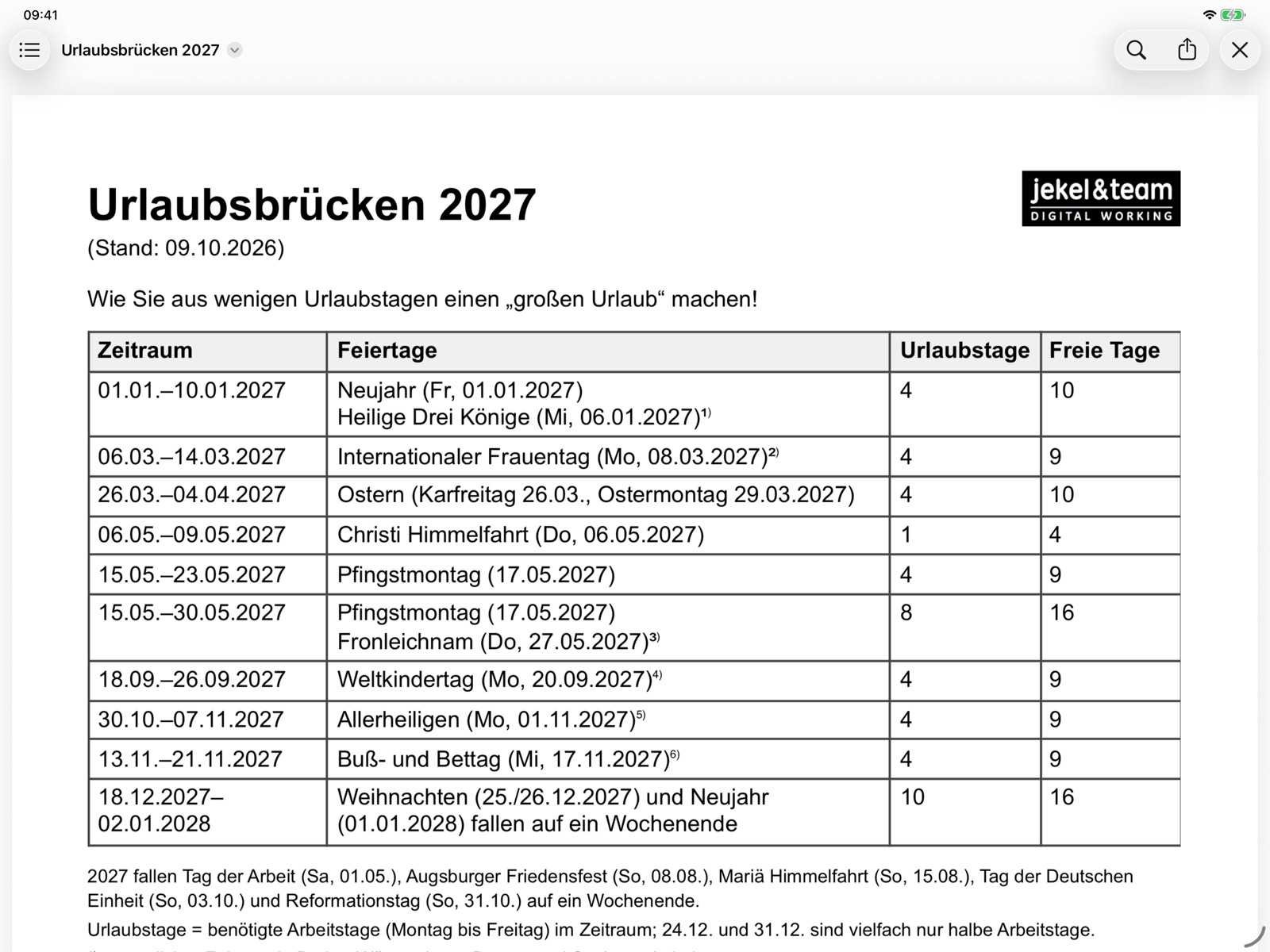
38 info sheets: school holidays, bridge days, dialing codes, travel expenses and more for Germany – updated in October 2026.
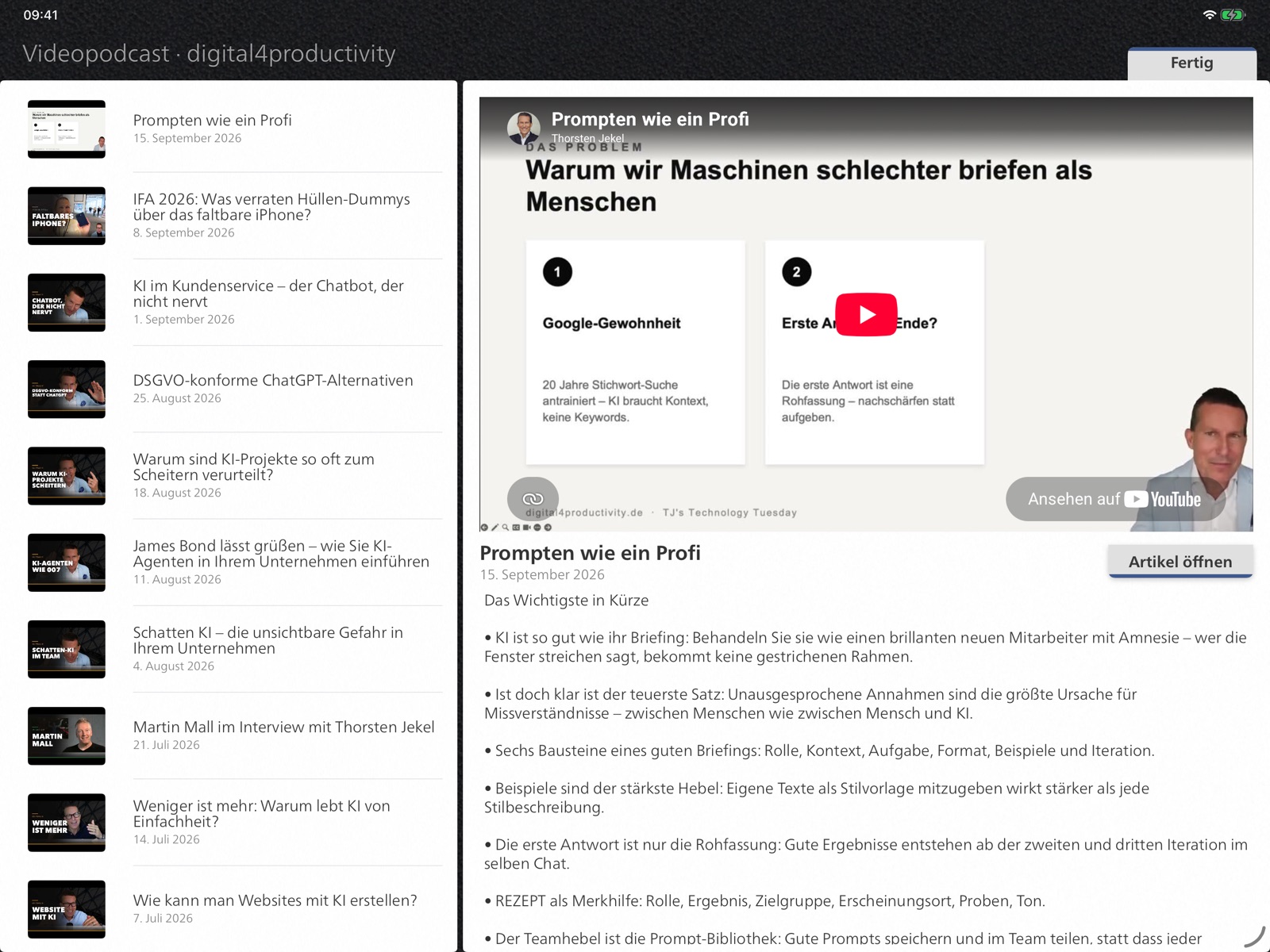
Podcast: the digital4productivity episodes as video or audio right in the app – with a short summary (in German).
Three editions
Start free, extend when you need it
Editions and prices apply from itempus 2.0, coming soon to the App Store.
Edition 1
Basic
0 € unlimited
- View appointments, tasks, contacts and holidays
- Sun times and weather
- Podcast
Edition 2
Professional
19.99 € one-time
- No subscription
- Create and edit appointments and tasks
- Notes and daily quotes
- Info sheets and trade fair calendar
Bought it before? Get your license back free of charge with “Restore Purchases”.
Edition 3 · Recommended
itempus Plus
29.99 € per year
- Professional included
- Connect Microsoft 365 directly – appointments in category colors
- Daily Compass with Apple Pencil
- Documents binder with tabs
- Filter by status and category
- Your own info sheets, second time zone
- Share and back up notes
- Sync via your private iCloud
For Professional owners 14.99 € in the first year. Cancel anytime in iPad Settings; your entries stay readable afterwards.
Comparison
| Basic | Professional | Plus | |
|---|---|---|---|
| View appointments, tasks, contacts, holidays | ● | ● | ● |
| Weather, sun times, podcast | ● | ● | ● |
| Create, edit and move appointments and tasks | – | ● | ● |
| Notes, daily quotes, info sheets, trade fairs | – | ● | ● |
| Microsoft 365 direct: categories, Teams, invitations | – | – | ● |
| Daily Compass with Apple Pencil | – | – | ● |
| Documents binder with tabs | – | – | ● |
| Filter by status and category | – | – | ● |
| Own info sheets, second time zone | – | – | ● |
| Share and back up notes, iCloud sync | – | – | ● |
| Price | free | 19.99 € one-time | 29.99 € per year |
Version history
What’s new?
Version 2.0 2026
- itempus Plus: connect Microsoft 365 directly (Outlook calendars, categories, Teams, invitations, attachments), Daily Compass with Apple Pencil, PDF backup, documents binder, own info sheets, second time zone, filter by status and category
- New planner frame, optimized for portrait
- Multi-day events as bars in month and week
- Smooth scrolling with two-finger zoom; drag appointments across months
- Undo after moving and editing, Select to delete several appointments
- Month with times, day view starts with your working day
- Weather with a 10-day forecast in the day view
- Tasks: multiple selection, show or hide completed tasks
- Duplicate appointments, podcast as video and audio
- Much faster at launch and while scrolling
Version 1.8.1 October 2026
- Much faster: switching months, launch and new appointments without delay
- More stable: fixed a crash when swiping in the month overview
- Day view: appointments without overlap use the full width
- Full-screen month with a clear right edge
Version 1.8.0 October 2026
- Fresh start for iPadOS 26, also in windows and Split View
- Professional as a one-time purchase, earlier purchases can be restored
- Current info sheets and trade fairs until 2030
- More privacy: no analytics services, all data stays on the iPad
Your data stays with you.
itempus uses your iPad’s calendars, reminders and contacts. Whatever you sync via iCloud, Google or Exchange appears in itempus automatically. If you connect your Microsoft 365 account with itempus Plus, the data travels directly between your iPad and Microsoft. The Daily Compass and the documents binder stay on your devices, in your private iCloud or in your OneDrive. itempus runs no server of its own and uses no analytics or advertising services.
For iPad with iPadOS 16 or later
Get itempus on the App Store.
Version 2.0 is coming soon as an update.
Questions and feedback: t.jekel@jekelteam.de
Want to make your team more productive with the iPad? iPad consulting and training