Key Takeaways
- Email overload is not a technical problem but an organisational one — anyone without a system will be overwhelmed by emails.
- The first strategy is to reduce emails — for example, stop sending internal thank-you replies for every small thing and consistently avoid unnecessary CC emails.
- The "one minus two" principle means: whoever introduces a new system or newsletter should eliminate at least two existing ones.
- Deciding immediately is essential: every email should be filed, deleted, forwarded, or moved to a day folder the first time you touch it.
- A clear folder structure (Monday to Friday, Waiting, CC, Newsletter) makes both Inbox Zero and Outbox Zero achievable.
- CC culture is a leadership issue: when managers stop accepting unnecessary CC copies, pointless CC emails disappear.
- Fixed time blocks for email (e.g. once a day at the end of the working day) protect against constant distraction.
- An emergency channel (e.g. iMessage/SMS) mentioned in the email signature ensures that truly urgent matters still get through.
- Outlook rules and folder properties (e.g. automatically deleting unread newsletters after 14 days) help with automatic decluttering.
- The conclusion: switch on your brain first, then use technology — strategies and habits come before tools.
Introduction
A very warm welcome and welcome back to another episode of TJ's Technology Tuesday. Today we are talking about how to go from email overload to Inbox Zero. By the way, I always keep an eye on the chat via my phone. So if there are any questions or comments, feel free to post them — I always have them in view.
Why email is a challenge for so many people
I don't know about you, but I know a great many people for whom email is a real challenge — a true email flood. Before I get into the strategies I have used to achieve Inbox Zero for over 20 years, I would like to ask you three questions to think about. First question: Do you have 2,648 letters in your physical letterbox when you come home in the evening? Do you open it and have half the letters fall out already opened and half still sealed, then tuck one opened letter into one pocket, stuff one unopened letter into the other pocket, and push 2,644 letters back in? I believe that if you actually did that, your neighbour would rightly ask what on earth you had been smoking and where they could get some.
So why do we do exactly that in the digital world? A physical letterbox has the great advantage of being a limited system — you simply cannot fit 2,648 letters in it; it forces you to deal with it. The unfortunate thing about digitalisation is that I often have no naturally self-limiting systems. That is why it is important to create limits for yourself — even though we usually say limits are a bad thing. Sometimes they make perfect sense, like the crash barriers on a motorway. Second question: What would happen if we worked in the office the same way we work in production? Imagine you and a colleague are tightening a wheel on a car, then suddenly ping — you run back to your desk and check emails. Then you run back to the car, ping again, and you run back again. By the third time, your colleague would rightly ask whether you had lost your mind. In production, we work through tasks in blocks, one after another.
In the office, many people still work as if it were the last century. Third question: What really needs to be documented? I always hear: "At our company everything has to be documented." But honestly, if a colleague, employee, or customer sends me a quick note and I reply "Thank you very much," I do not necessarily need to archive that reply. I am also not a fan of automatic archiving functions. I often hear: "We automatically archive everything." Wait a moment — automatically? That means if I write that "Thank you very much" or congratulate someone on their birthday privately, all of that gets archived. Fine, I'll probably never need it again. But maybe I have a customer email that is six years old and I need it for an annual negotiation — and it is already archived. Then I might not be able to access it on a mobile device. So these automatisms make only limited sense in my view. That is why I want to share with you my five best tips for handling email. Tip one: Reduce emails. One idea I suggest is, for example, stopping the habit of saying thank you internally for every little thing.
The one-minus-two rule for systems
The key is: talk about it openly. Just like in a good marriage — I know what I am talking about, I have been married for 31 years this year — and whenever things go wrong, it is simply because of unspoken, mismatched expectations. So, for example, if someone sends a meeting summary to ten people by email, all ten people reply "Thank you" — that is ten emails you could save per person. With ten people, that is 110 emails: the ten that go out and then ten more received by everyone. Another aspect of reducing email: if you are using Microsoft Teams, there are chat channels available. The important point is that when you introduce a new system, you must remove at least one, ideally two, existing systems. That leads me to the next tip: one minus two. This applies to systems. It means that if you introduce Microsoft Teams with channels, it should at minimum replace email. Ideally it might also replace the WhatsApp communication you have scattered across various platforms. Another application of one minus two: a tip I got from Tiki Küstenmacher's book "Simplify Your Life" — fantastic: when I used to move an email into a subfolder, it was a one-way street.
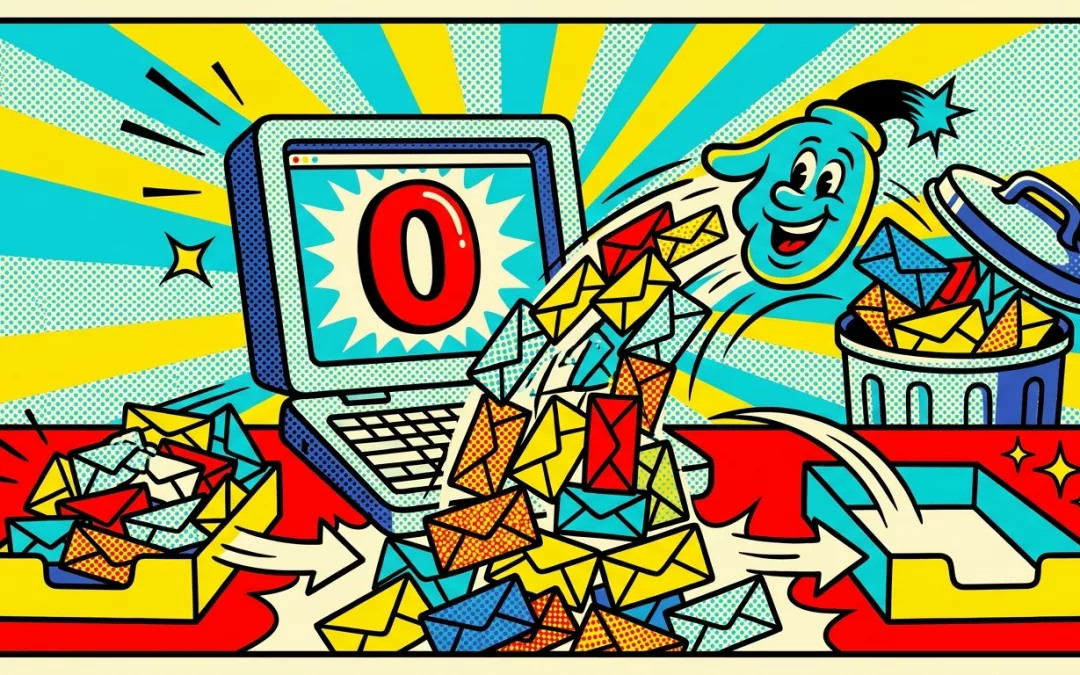
That meant I kept moving emails down into a subfolder but never deleted any from it. Nowadays I have trained myself, at the moment I move an email into a subfolder — I will come to which folders I use shortly — when you have a filing folder you are moving things into, quickly glance inside and ask: which two emails can I delete? It always works. Next tip: Decide immediately. When I send an email, I immediately go to the Sent folder and then decide: do I delete it, move it to my Waiting folder (which I will explain shortly), file it in an archive folder for documentation, save it in my DMS or CRM system, or move it to a day-of-the-week folder? The key is: the moment you have an item in your hands is the best moment to decide. If you go through your Sent folder after ten years, you have to dive back into every single item to remember the context. So I go in right away. That is why I do not just have Inbox Zero but also Outbox Zero.
In the evenings, my Sent folder is also empty. Why? Why does everything pile up on most people? Because, first, they have no system for filing things. I will get to the second reason at the end — stay tuned. The next point is folder structure. The question is: where do I put things? What I have is a folder structure from Monday to Friday. Things I want to handle today — for example, I am flying to a client this evening — things I might deal with at the airport or on the plane are in a folder for today, Tuesday. Tomorrow I have an on-site workshop at a client's office. In that folder I have the agenda, the address where I need to go, the car rental booking I need to get to the next client, and my hotel booking for tonight in Tuesday's folder. In other words, everything I need is right there. By the way, this system also works well with an assistant. I actually have a real assistant — when he books travel for me, he puts the confirmation directly into the relevant folder.
How a CC culture kills productivity
I also have a Waiting folder. That means when I send something out and am waiting for a reply, I move it to the Waiting folder. And when I put something in the Waiting folder, I quickly check: which two emails in there can I already do without? When I plan my next day — which I do as the very last thing in my day (I'll tell you what I do second-to-last in a moment) — I glance into the Waiting folder and ask: what am I still waiting on for tomorrow? CC emails can be handled with a rule. Back when I worked at Tchibo, I even took this further in Outlook. We had a real CC culture. So I set it up so that all CC emails addressed to me that did not come from my boss were automatically deleted. I have since moderated that somewhat. Now I have a CC subfolder, and everything that comes to me in CC goes into that subfolder automatically — because in the normal course of events I do not need to act on those. By the way, if you have a CC culture and you have the chance to influence it, address the issue.
This is a leadership topic — very important. Often it works like this: "If I copy the boss, I get a response twice as fast." That only works if the boss or manager allows it. If they intervene firmly — which I recommend — then it stops working, and pointless CC emails die out. The same goes for newsletters: at a minimum, you should have a newsletter subfolder. And one comment from before I found brilliant: whenever you subscribe to a new newsletter, apply the one-minus-two system — which two newsletters do you unsubscribe from? That way the overall volume shrinks. This idea of continuously decluttering your inbox ties back to what Tiki Küstenmacher and Lothar Seiwert advocate so well in their book: continuous decluttering, not occasional mass tidying like at home. When I buy something new, I throw away, donate, or sell something else. I just recently ordered a pair of shoes — looking at my shoe cupboard: if there is no room, which pair gets cleared out to make space? Self-limiting systems are the key concept here, well known from production environments. Another tip I like to pass on from Jürgen Kurz: if you have stacks of magazines piling up on the windowsill, stand them upright on a shelf. When they reach the top, pull out the bottom 10 centimetres and throw it away. You will never go back to it. You can do the same digitally.
In Outlook, for example, if you go into folder properties — this does not work yet in the new Outlook but definitely works in the old one — you can set auto-archive. That means you can configure it so that, for example, any newsletters you have not read within 14 days are automatically deleted. I always recommend being radical and regular about decluttering. And then: schedule time for emails. As I mentioned, what is the very last thing I do each day? The very last thing is to plan the next day.
Schedule fixed time blocks for email to boost productivity
The second-to-last thing I do is process my emails. And for that I plan at least one hour, sometimes even four hours on Friday afternoon if things have piled up. The goal is to genuinely bring my emails to zero every day — both inbox and sent. And if I cannot manage it on a given day, I plan a slot on Friday afternoon at the latest to go into the next week at zero. A few years ago I ran a training session for a group of salespeople where I presented these tips and they all looked at me blankly. I asked: "Why are you looking at me like that?" And they said: "We get about three or four emails a week." If you are in that happy situation, you do not need any of this — no problem at all. I receive around 400 to 500 emails a day, so I simply could not manage without a solid strategy. That is why having a sensible strategy is so important. And when people say: "But I have to check emails first thing in the morning" — well, if you are in IT support, yes. But how many of you are in IT support? I would assume most of you are not in a role where you need to cancel a bank card first thing in the morning.
For that kind of situation you need someone available. That is why I have an emergency channel. Every email I send has a signature at the bottom, and that signature states: I check my emails as a rule once a day at the end of my working day after my client appointments. In urgent cases: please send me an iMessage or SMS. And those of you who have known me for a while know I am the eccentric who wears two watches. The analogue one I had first, the digital one I got later. On the watch face I have complications, and one of those complications shows my SMS messages. So I can see at a glance if someone has sent me an SMS. On top of that I have VIP emails. That means when my speaker management team — Karin Burga — sends me an email, it shows up on my watch as a VIP notification, and I can tap it briefly to go directly to the VIP inbox rather than disappearing into the newsletter folder for hours. Reducing distraction is also a very good idea. So to summarise: the five key tips are — reduce emails, one minus two, decide immediately, create a folder structure that works for you, and add blocker appointments in your calendar. Because what if we worked in the office the same way we do in production?
Conclusion
And last but not least — and those of you who have known me for a while know this applies especially to email: first switch on your brain, then use technology — but then actually use the technology. And if you would like input on this topic, whether as a keynote, consulting, training, in-house, or for your event, I am very happy to help. With that, I wish you a productive week.
Until next time, your Thorsten Jekel.
Frequently Asked Questions
What does Inbox Zero mean and how do you achieve it?
Inbox Zero means your email inbox is empty at the end of the day. Thorsten Jekel has achieved this state for over 20 years by scheduling fixed time blocks for emails, making an immediate decision on every email, and using a consistent folder structure.
Why is email overload such a major problem in the office?
Email overload occurs because digital inboxes have no natural limit — unlike a physical letterbox. Many people have no clear system for filing emails or a defined time for processing them, which leads to a constant feeling of being overwhelmed.
What is the "one minus two" principle for emails?
The "one minus two" principle means: whenever you introduce a new communication system or subscribe to a new newsletter, you should eliminate or unsubscribe from at least two existing ones. This way the total volume of messages shrinks rather than grows.
Why should you not check emails first thing in the morning?
Checking emails first thing in the morning means you immediately react to other people's priorities rather than directing your own work. Thorsten Jekel recommends processing emails in a dedicated time block at the end of the working day and offering a separate channel such as iMessage/SMS for genuine emergencies.
Which folder structure helps achieve Inbox Zero?
Thorsten Jekel uses folders for each weekday (Monday to Friday), a "Waiting" folder for emails awaiting a reply, and separate folders for CC emails and newsletters. This structure makes it possible to assign every email immediately and clear the inbox completely.
How can you reduce the number of internal emails?
Internal emails can be reduced by stopping unnecessary thank-you replies and by using tools such as Microsoft Teams for internal communication instead. The key is that for every new system introduced, at least one old system must be removed so the overall burden decreases.
What is a CC culture and how do you tackle it?
A CC culture arises when employees copy managers into emails to force faster responses. This habit can only be stopped by managers who consistently stop accepting or responding to CC emails they do not genuinely need.
How do you set up an emergency channel alongside email?
Thorsten Jekel adds a note to his email signature stating that he checks emails only once a day and asks people to send an iMessage or SMS for urgent matters. This keeps him reachable for genuine emergencies without having to monitor his inbox constantly.
What does "decide immediately" mean when processing emails?
"Decide immediately" means that the moment you have an email in hand, you delete it, reply, move it to a day folder, or archive it — right then and there. The same applies to sent emails: going straight to the Sent folder after sending and deciding on the spot leads to Outbox Zero as well.
How can Outlook help automatically declutter newsletters?
In the folder properties of the classic Outlook, auto-archive can be configured so that unread newsletters are automatically deleted after 14 days. This self-limiting system ensures that unread content does not accumulate indefinitely.
Tools & Resources Mentioned
- Microsoft Outlook & Microsoft Teams — Recommended for folder structure, CC rules, and internal communication instead of email
- Book "Simplify Your Life" by Tiki Küstenmacher & Lothar Seiwert — Source of the "one minus two" principle and continuous decluttering
- Tip from Jürgen Kurz — Self-limiting systems for analogue and digital clutter