
App for the tempus planner · Version 2.4 now on the App Store: voice, Siri, Apple Watch and year view
itempus: your planner for iPad, iPhone and Apple Watch
As clear as your paper planner – as current as your iPad.
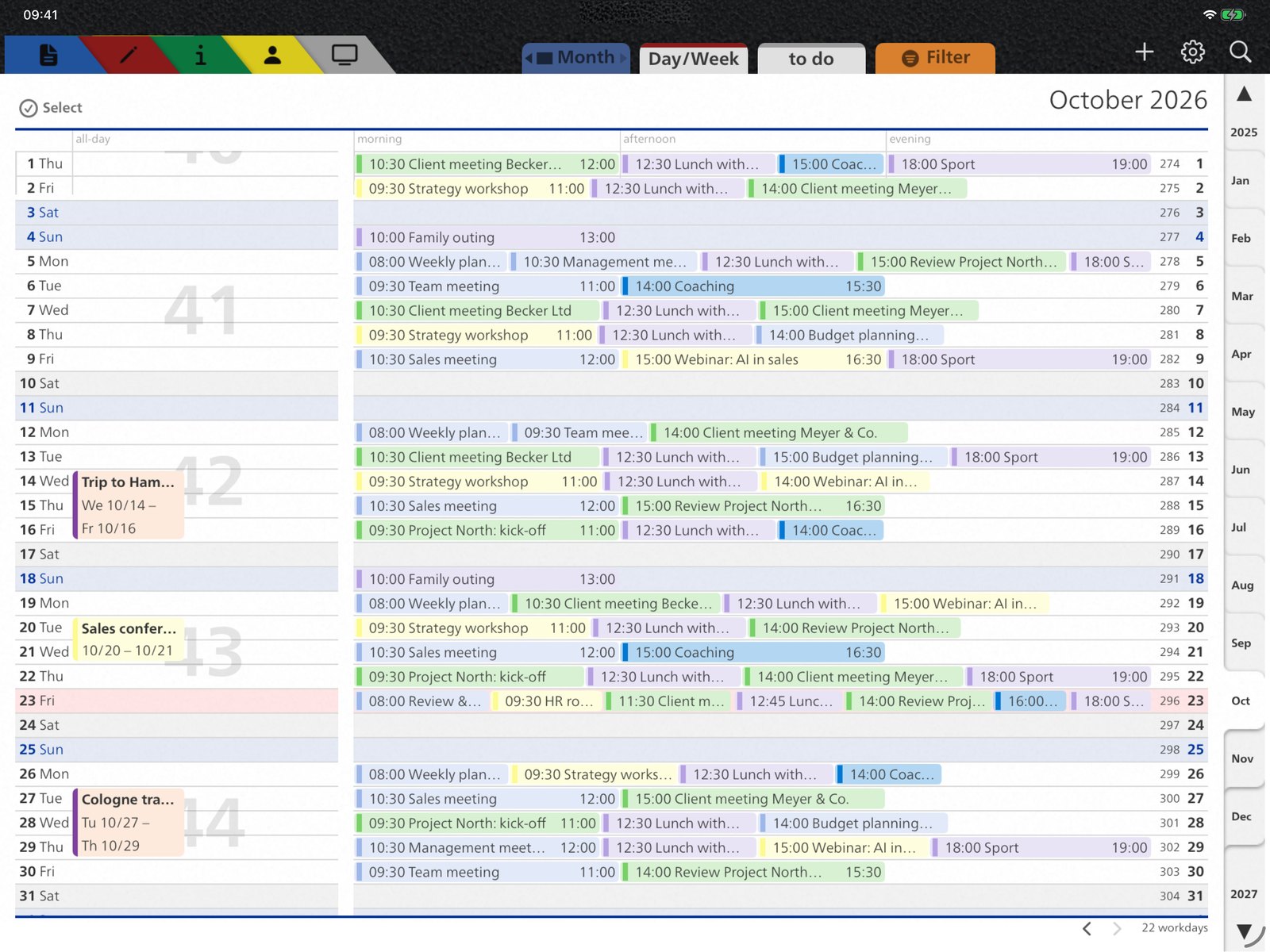
The whole month on one page: appointments, tasks, holidays and calendar weeks in the proven tempus layout – always in sync with the calendars on your iPad. Multi-day events appear as bars, and you scroll smoothly through days, weeks and months.
Version 2.0 is now on the App Store. New: a new planner frame, “Undo” after moving an appointment and, with itempus Plus, a direct Microsoft 365 connection, the Daily Compass for Apple Pencil, a documents binder and a second time zone.
New in 2.4
Speak, Apple Watch and the whole year
Just say, photograph or ask Siri to add events and tasks. Plus the new Apple Watch app, the year view and – with itempus Plus – the vacation calendar.
Voice, photo and Siri · Apple Watch
Add entries the way that suits you
Just say it
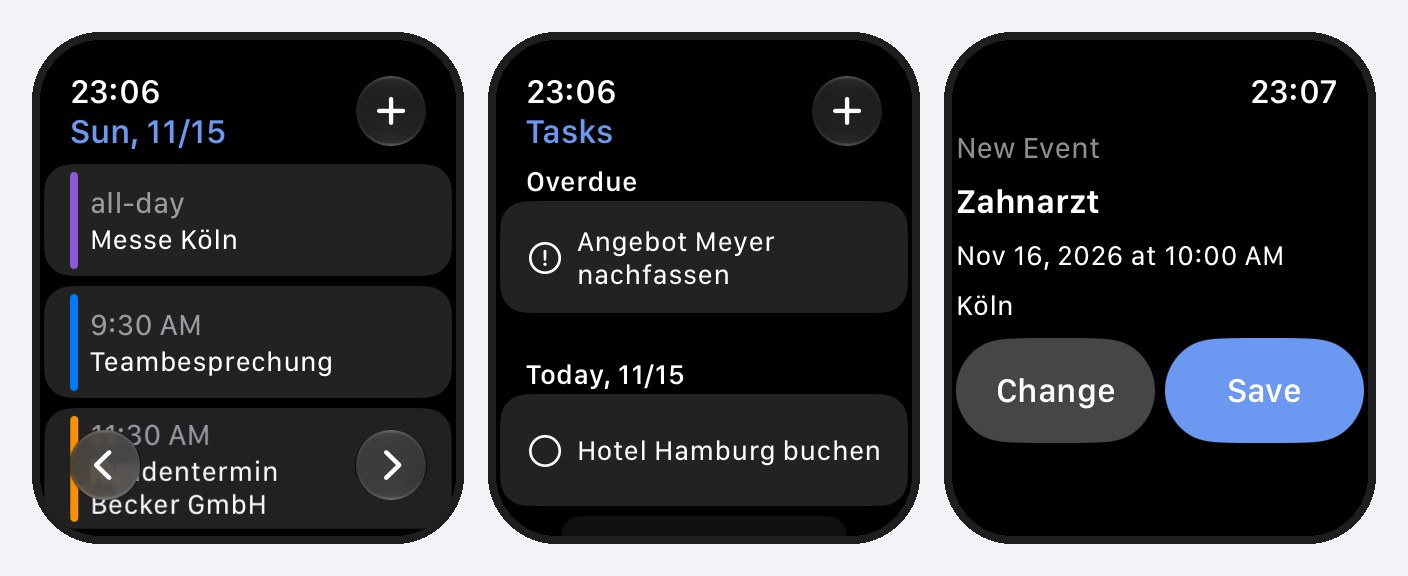
“Dentist tomorrow at 10 in Boston” – itempus recognizes title, date, time and place and shows the entry before saving. In seven languages.
Photo and sharing
Take a picture of an invitation or share a mail from another app: itempus finds the events in it.
Siri and Shortcuts
“New appointment in itempus” or “What’s on today in itempus?” – in the car too.
Apple Watch
The day’s events and tasks on your wrist, tick off tasks, dictate new entries. With complications for your watch face.
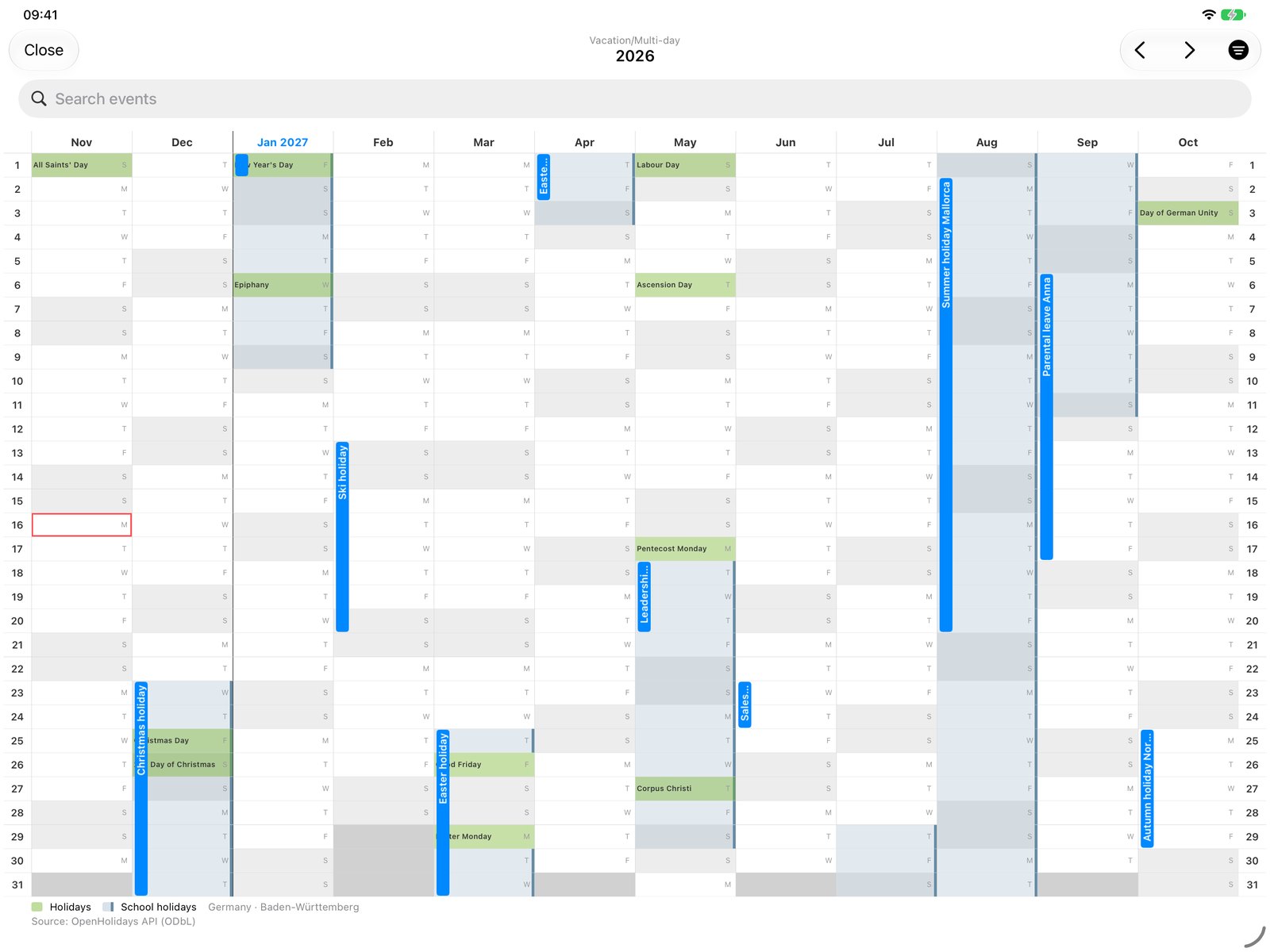
Year view · Vacation calendar
The whole year at a glance
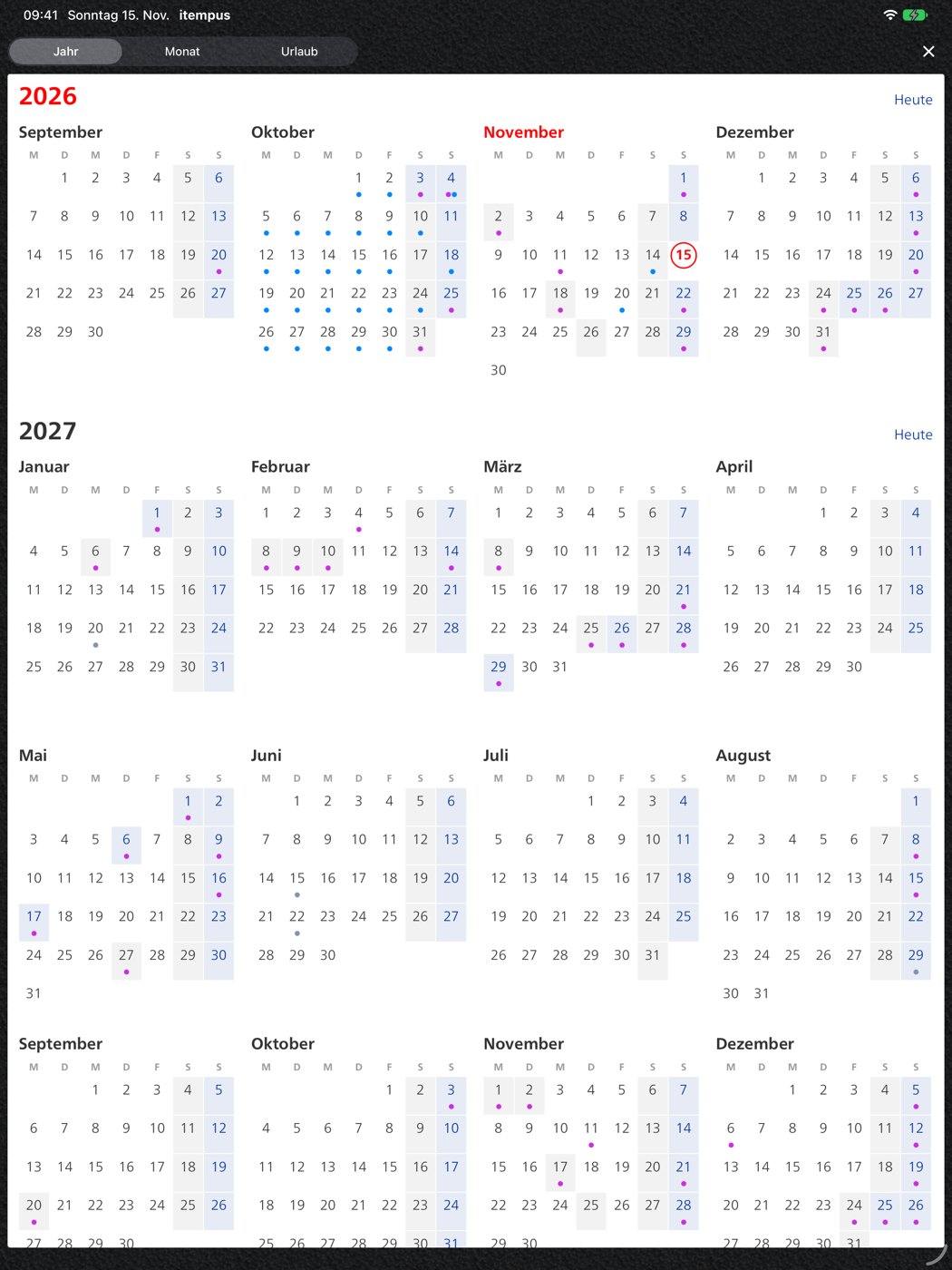
Year view
Every event of the year as a dot. One tap opens the day.
Vacation calendar · itempus Plus
Absences, school holidays, public holidays and trade fairs on one page like a wall planner – with calendar groups, search and your own colours.
Light and dark
Match the system, always light or always dark – with a dark planner page.
Several windows
On iPad, several itempus windows side by side, each with its own date.
New in 2.3
Widgets, calendar groups and your daily goal
itempus comes to your Home Screen, sorts your calendars into groups and shows your daily goal right above the tasks of the day.
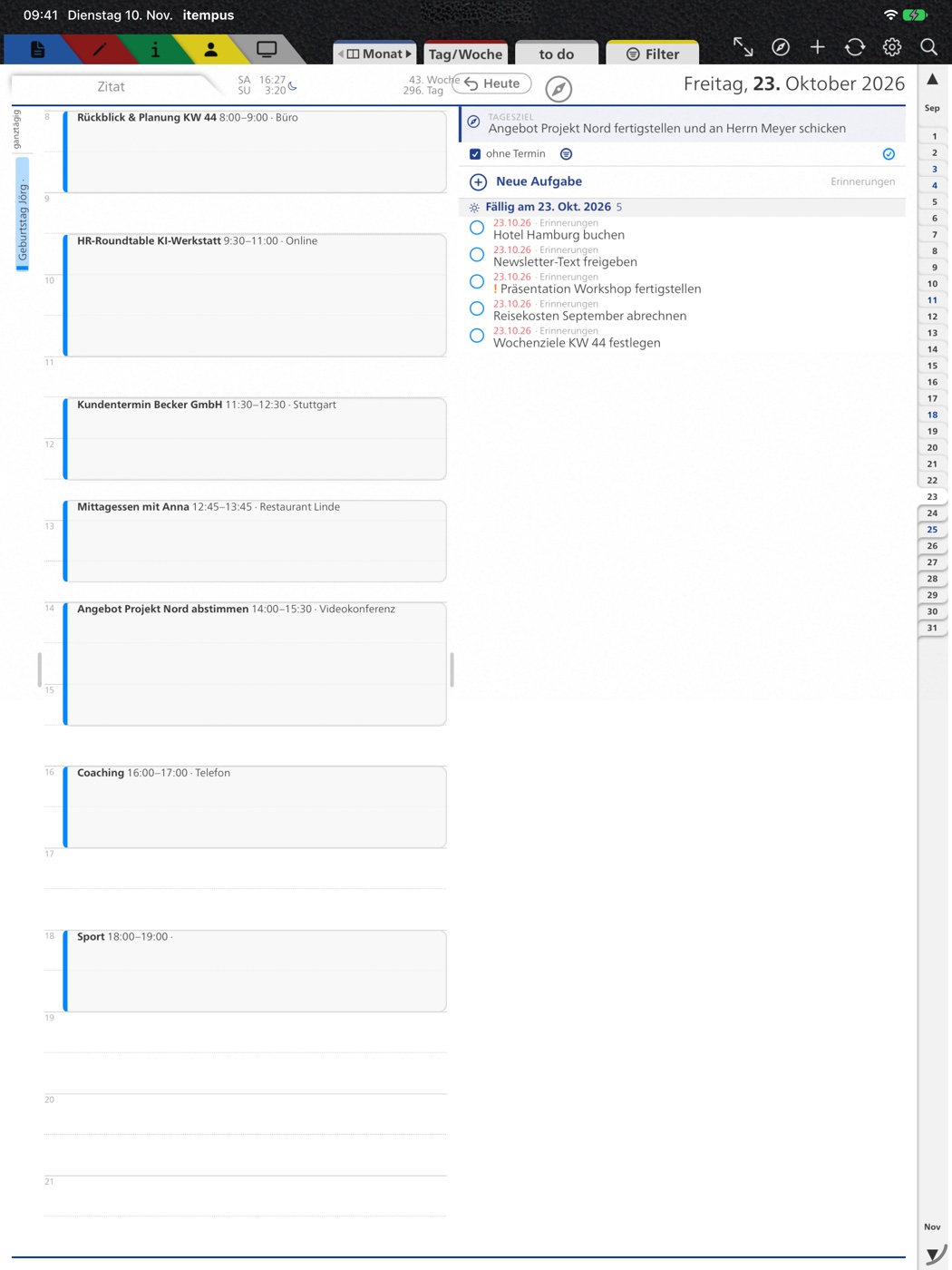
Daily goal · itempus Plus
Your daily goal always in view
Above your tasks
The daily goal from the Daily Compass appears in the day view right above the tasks of the day.
Tick off and edit
Reached it? One tap ticks it off. You can change it right there.
Handwritten, too
If you wrote your daily goal with Apple Pencil, itempus recognizes the text on the device and suggests it.
Swipe through days
On iPad, swipe sideways in the day view to go to the next or previous day.
Widgets
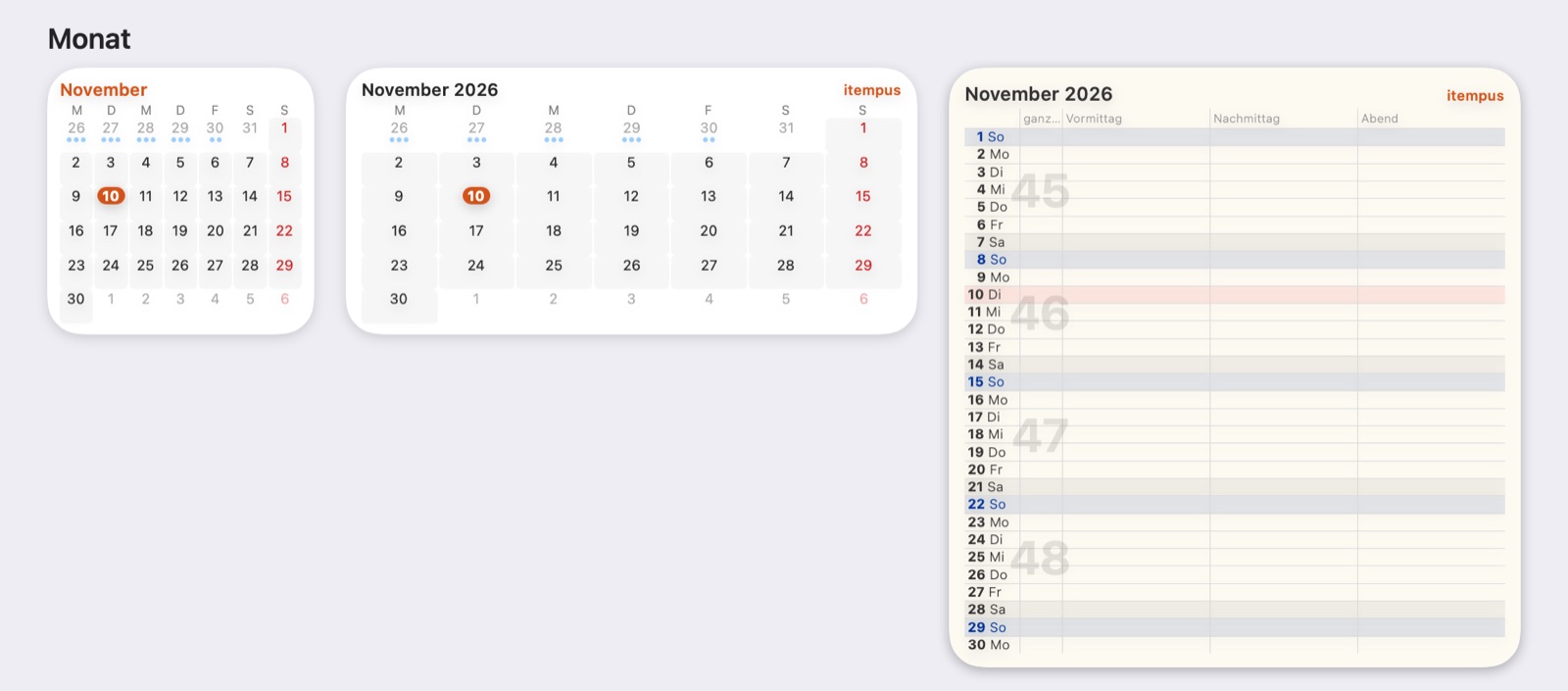
itempus on your Home Screen
Month, Today, Agenda and Tasks
Small, medium and large – the large month widget is the itempus month page. Plus Lock Screen widgets and “New event” in Control Center.
Calendar groups · itempus Plus
Combine calendars into groups such as “Work” and “Private” and show or hide them with one tap.
A new device in minutes
Setup asks about iCloud first and can take over the settings of your other device.
New in 2.1 · iPhone and iPhone Duo
itempus now on the iPhone too
The same paper-planner design as on the iPad – with Month, Day/Week, to do, Filter, Daily Compass, Documents, Notes and Info Sheets. Your purchase applies on iPad and iPhone with the same Apple ID.
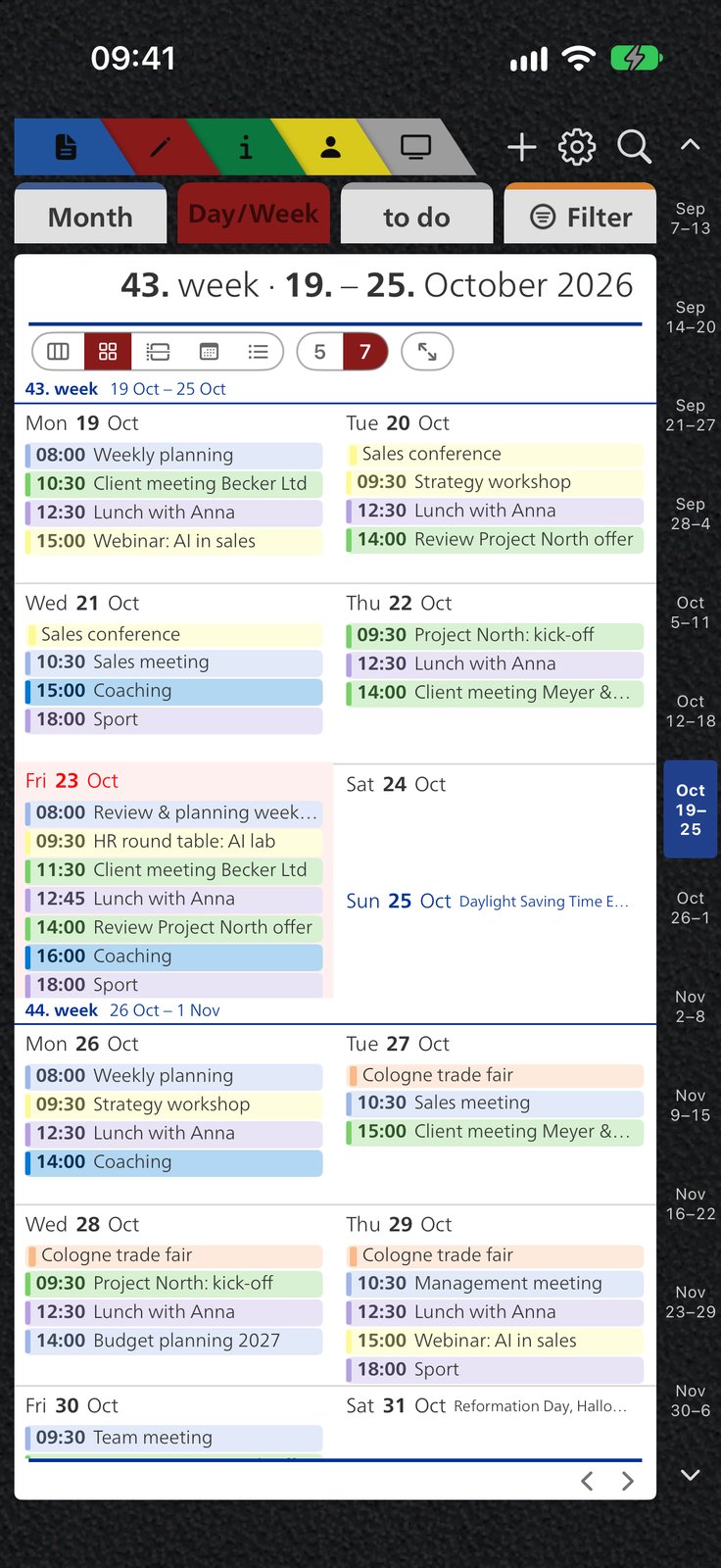
Week as Agenda: all appointments of the week and today’s tasks at a glance.
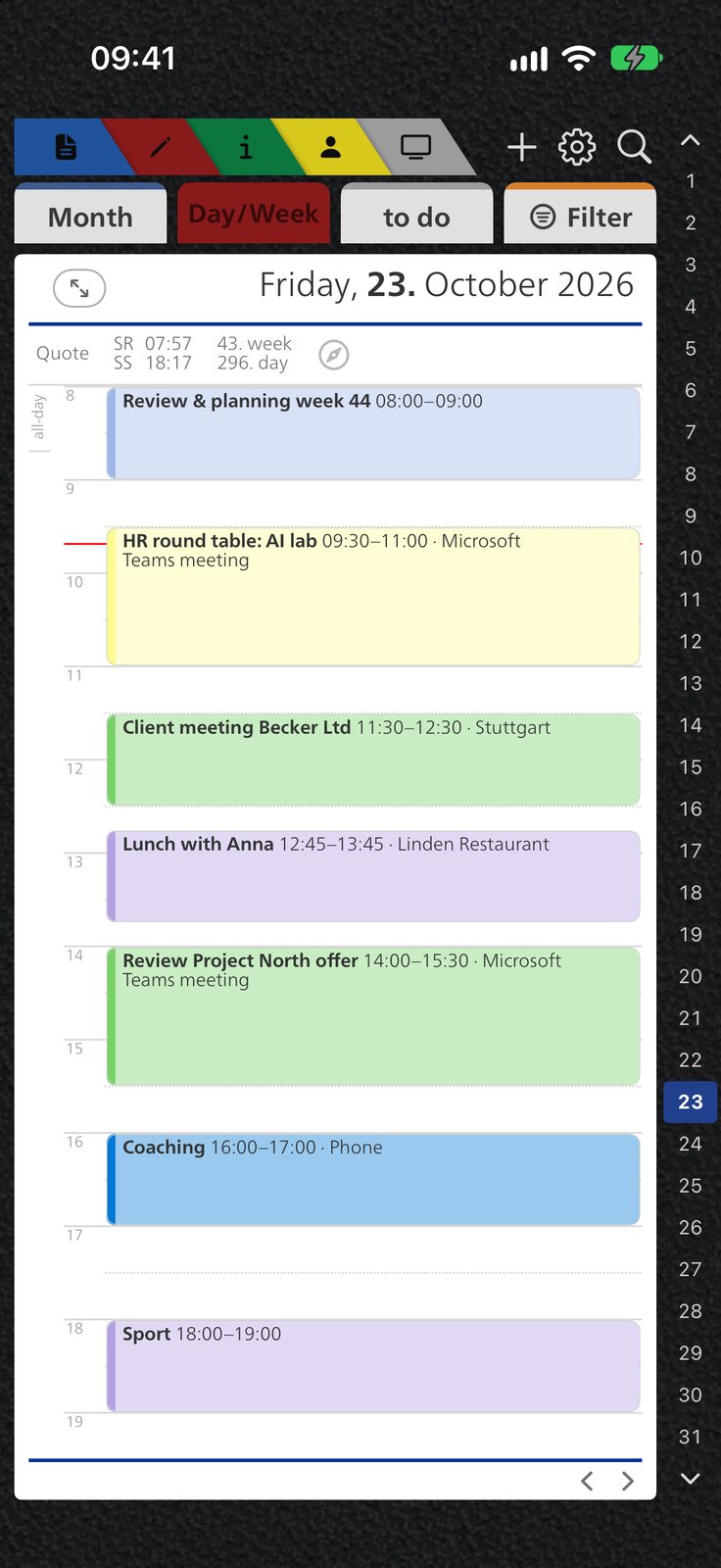
Day: hours, weather, sun times and calendar week – on the right the strip to jump quickly.
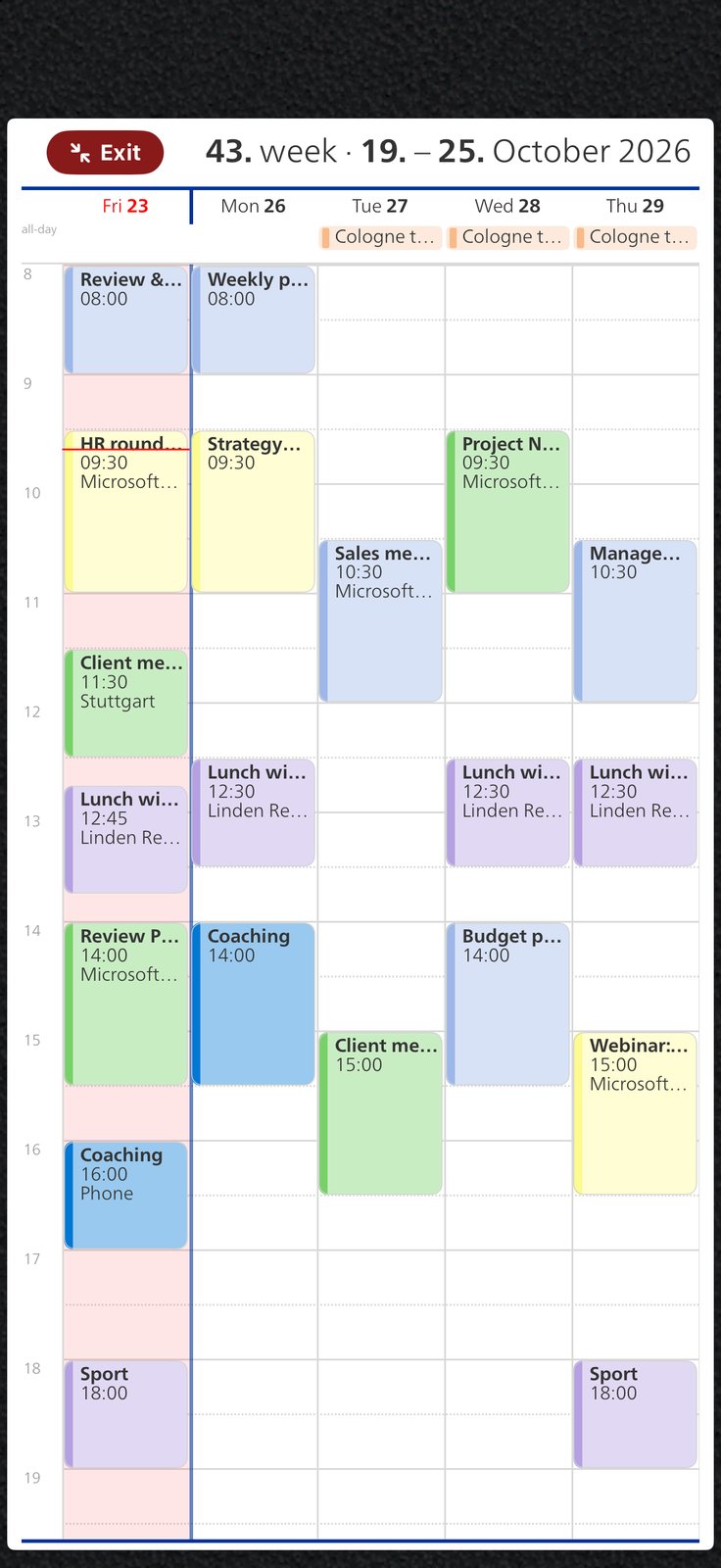
Full screen (itempus Plus): the whole screen for your appointments, swiping and zooming stay.
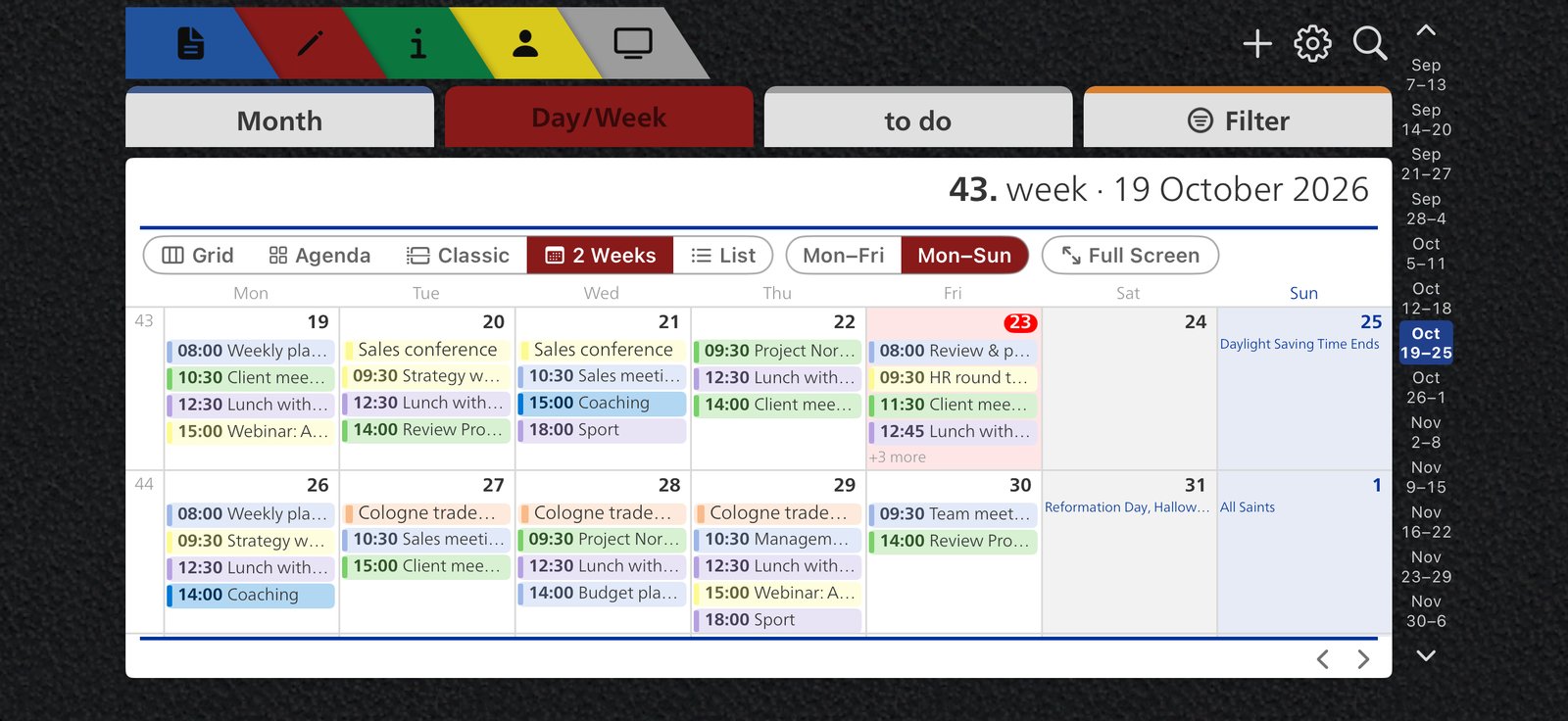
Landscape: 2+ Weeks with all days side by side – like a month in week rows.
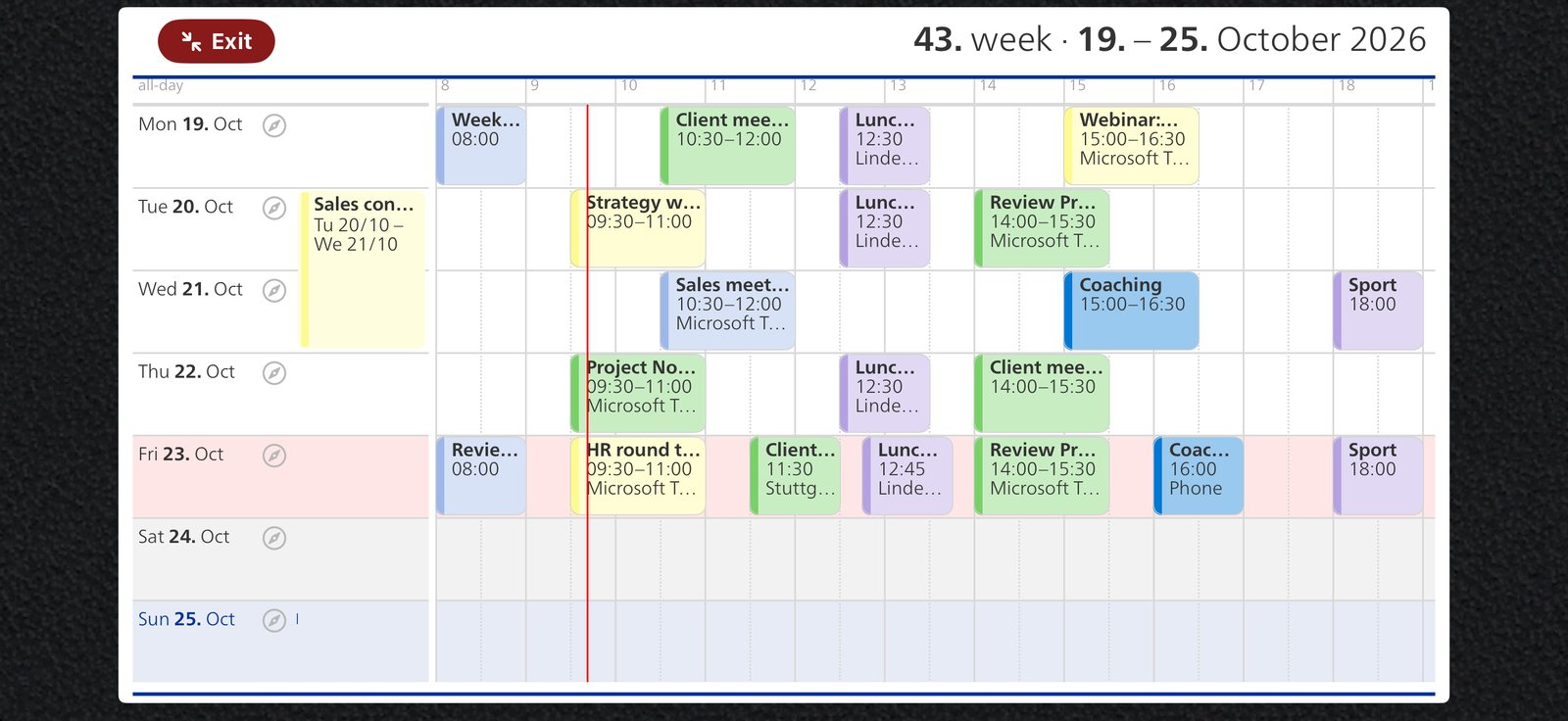
Landscape in full screen: the week as a grid, hours across, seven days one below the other.
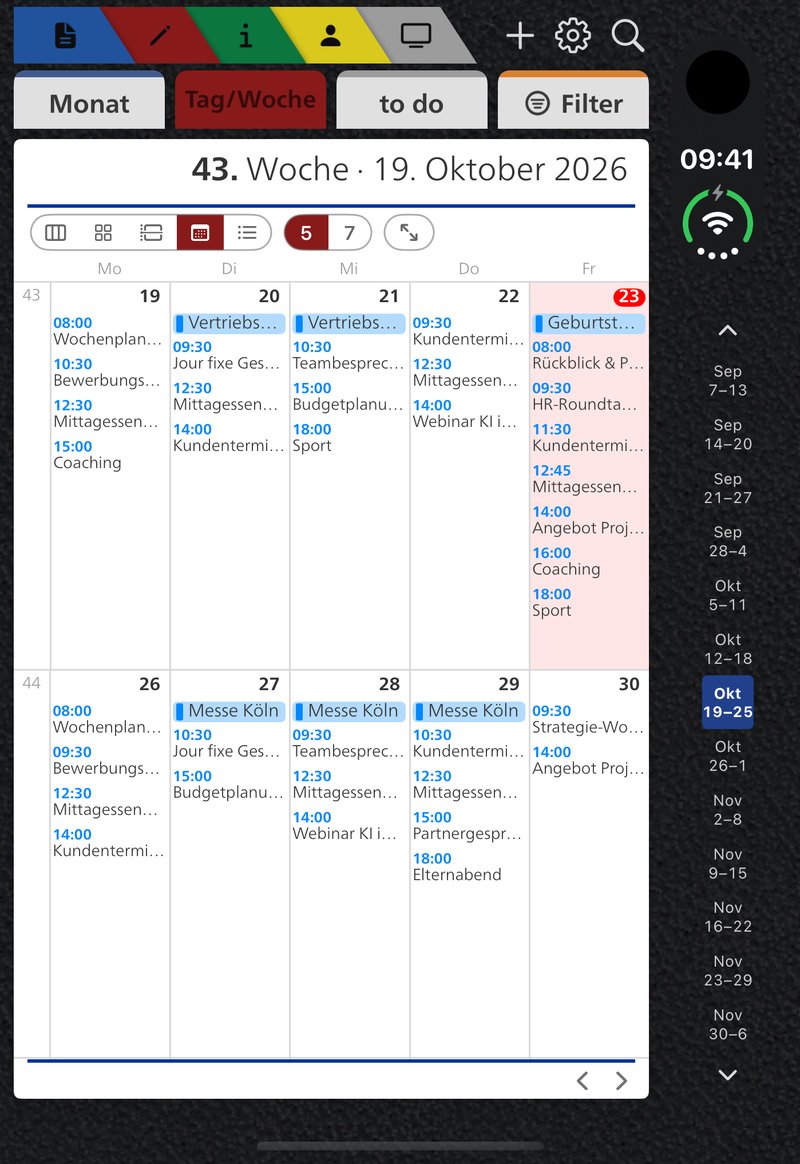
iPhone Duo folded: 2+ Weeks from Monday to Friday on the outer display, the strip next to the camera on the right.
iPhone Duo
Two pages like a paper planner
Unfolded
Week, month or day across both pages – or the month on the left and the day on the right.
Folded
One page on the outer display. The strip next to the camera jumps to week, day or month.
Sync via iCloud
Daily Compass, notes, info sheets and document tabs stay in sync between iPad and iPhone through your private iCloud (itempus Plus).
itempus Plus
From paper planner to planning system
itempus Plus turns your iPad into a complete planner: your Microsoft 365 calendar right in the planner, daily reflection with Apple Pencil, your key documents at hand and tools for your working day. Professional is always included.
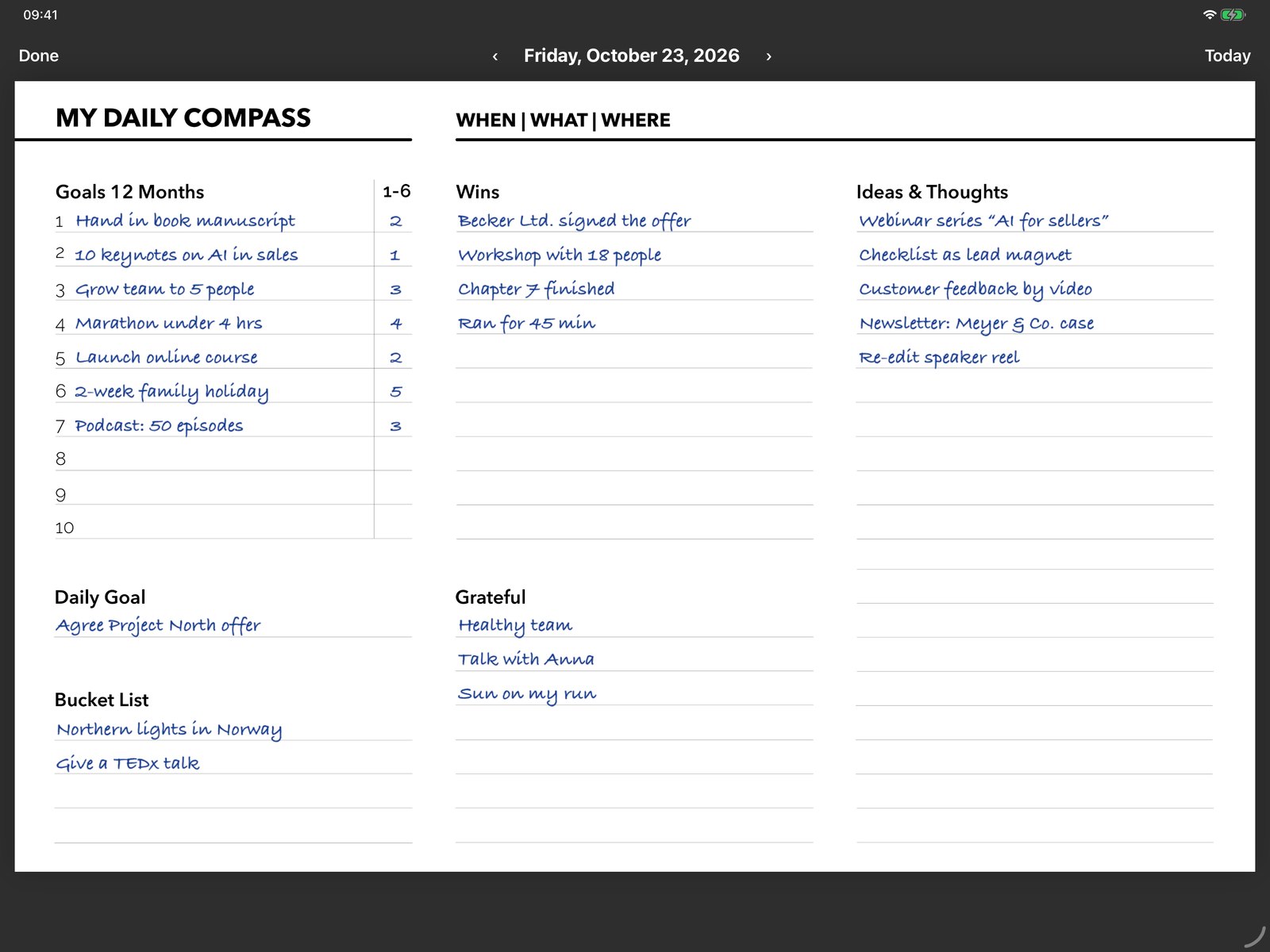
Daily Compass
Your day on one page – with Apple Pencil
One page per day
Goals for 12 months, today’s goal, wins, gratitude, ideas and bucket list.
Handwriting like on paper
Write, highlight and erase with Apple Pencil.
Take your goals along
Copy goals and bucket list from your last entry at any time – or show them alongside and write them down again.
Protected and backed up
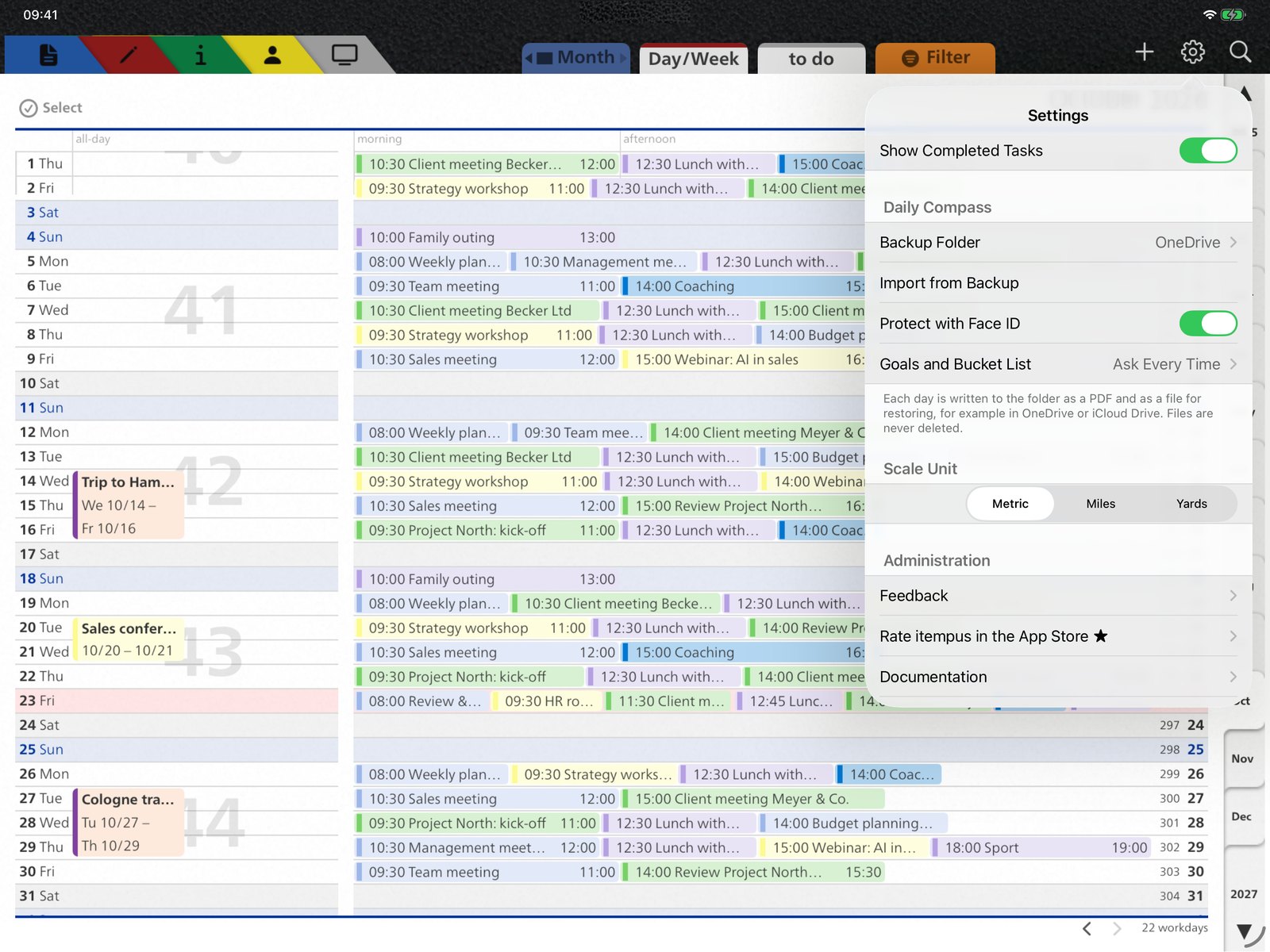
Optionally locked with Face ID. Every day is also saved as a PDF to your OneDrive or iCloud Drive.
Documents binder
Your key documents – right in the planner
Tabs like a binder
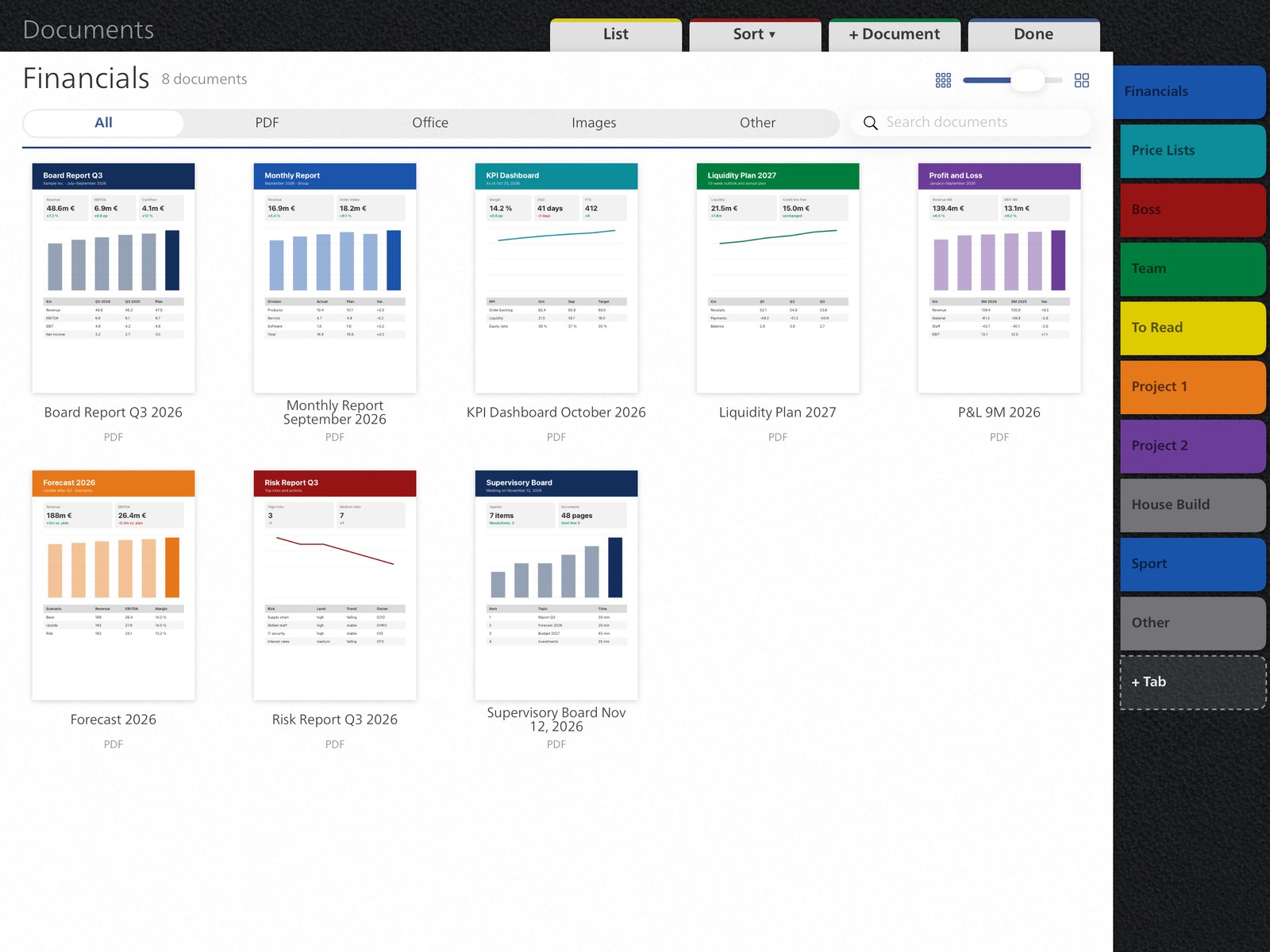
Colored tabs for everything you need – from board reporting to price lists and projects to private topics like building a house or sport. Named as you like.
Linked, not copied
Files from OneDrive, iCloud Drive or the iPad. You always see the current version.
Found in seconds
Sort, filter by PDF, Office or images, and search by name.
Photo and scan
Capture new documents directly with the camera.
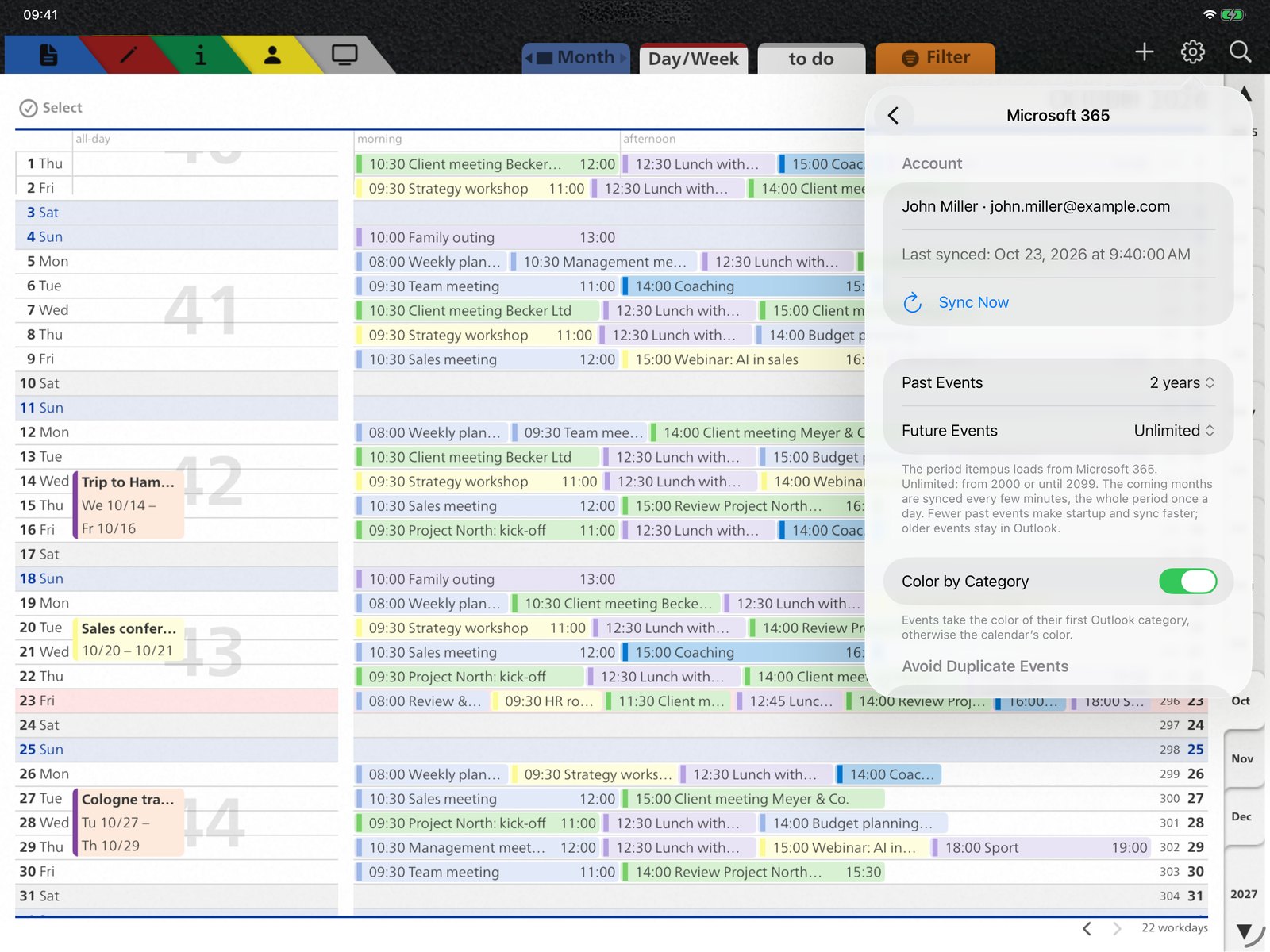
Microsoft 365
Your Outlook calendar – right in the planner
Connected directly
Sign in once with your Microsoft 365 account. itempus shows your Outlook calendars, including shared ones, without going through the iPad settings.
Colors within one calendar – only with Microsoft 365
Through the iPad’s calendars, each calendar has just one color. Only the direct Microsoft 365 connection lets you color appointments within one calendar differently: each appointment in the color of its Outlook category. And you can filter by category, for example client meetings only.
Edit like in Outlook
Create and move appointments, change series, open attachments, answer invitations and join Teams meetings.
New in 2.2: Microsoft To Do
Your To Do lists, tasks with steps, flagged emails and “Assigned to me” appear in the to-do list and in the day view. Sort and filter, drag tasks into your day, create new lists and turn a task into an appointment – and back. When you complete a flagged email, itempus asks whether to delete the email too.
Secure sign-in
Your data travels directly between your iPad and Microsoft. If your organization does not yet allow the sign-in, your IT approves itempus once.
New in 2.1 · Week views
Your week – the way you plan
Five views, one tap
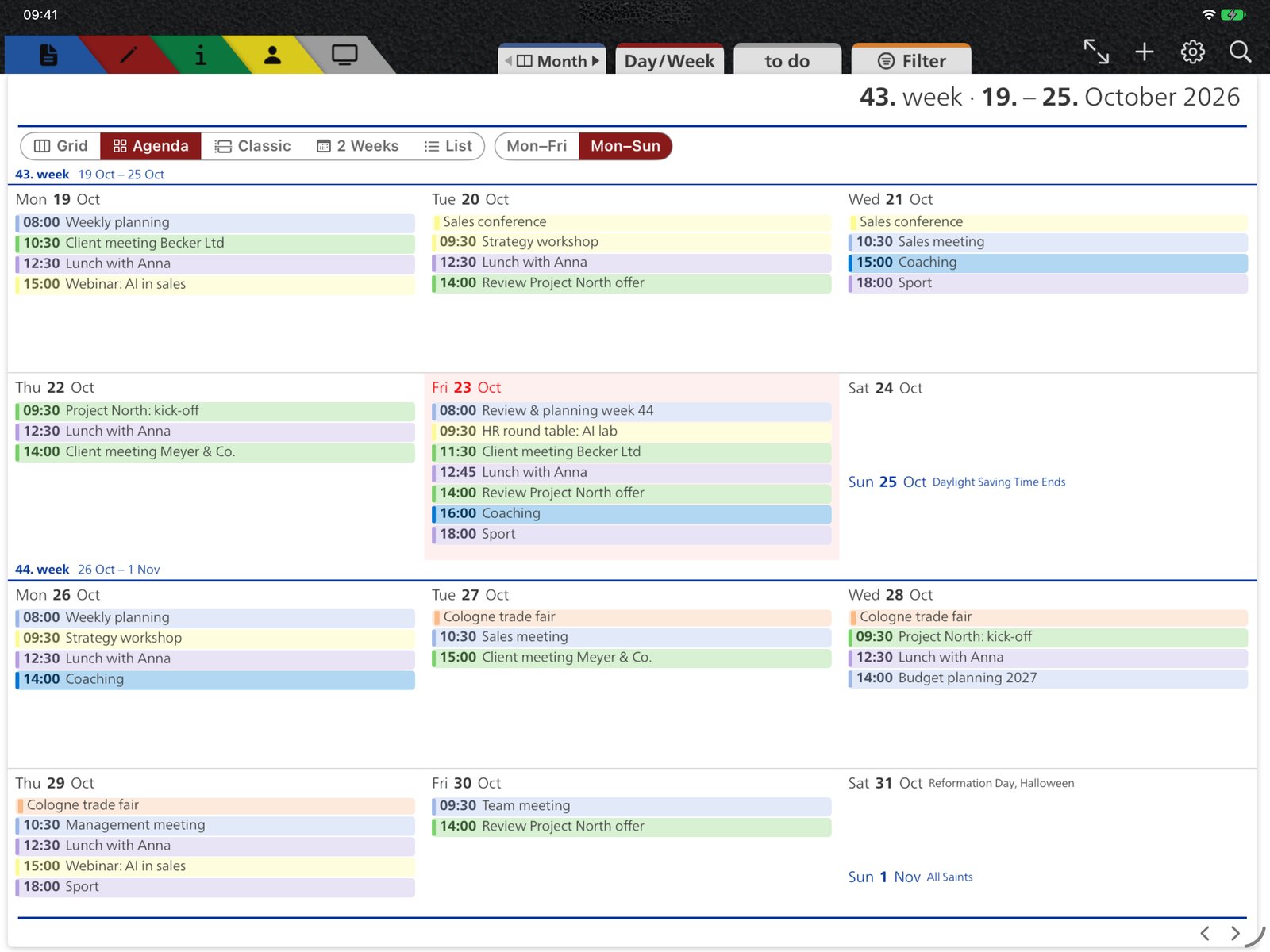
Grid, Agenda, Classic, 2+ Weeks and List: the switch at the top of the week changes the view at once. itempus remembers your choice.
Agenda like a paper planner
Each day as a card with time and title. Saturday and Sunday share one card.
Monday to Friday only
The “Mon–Fri | Mon–Sun” switch hides the weekend and gives the room to your working days.
Scroll and zoom smoothly
Swipe on week by week, pinch with two fingers to make it larger or smaller.
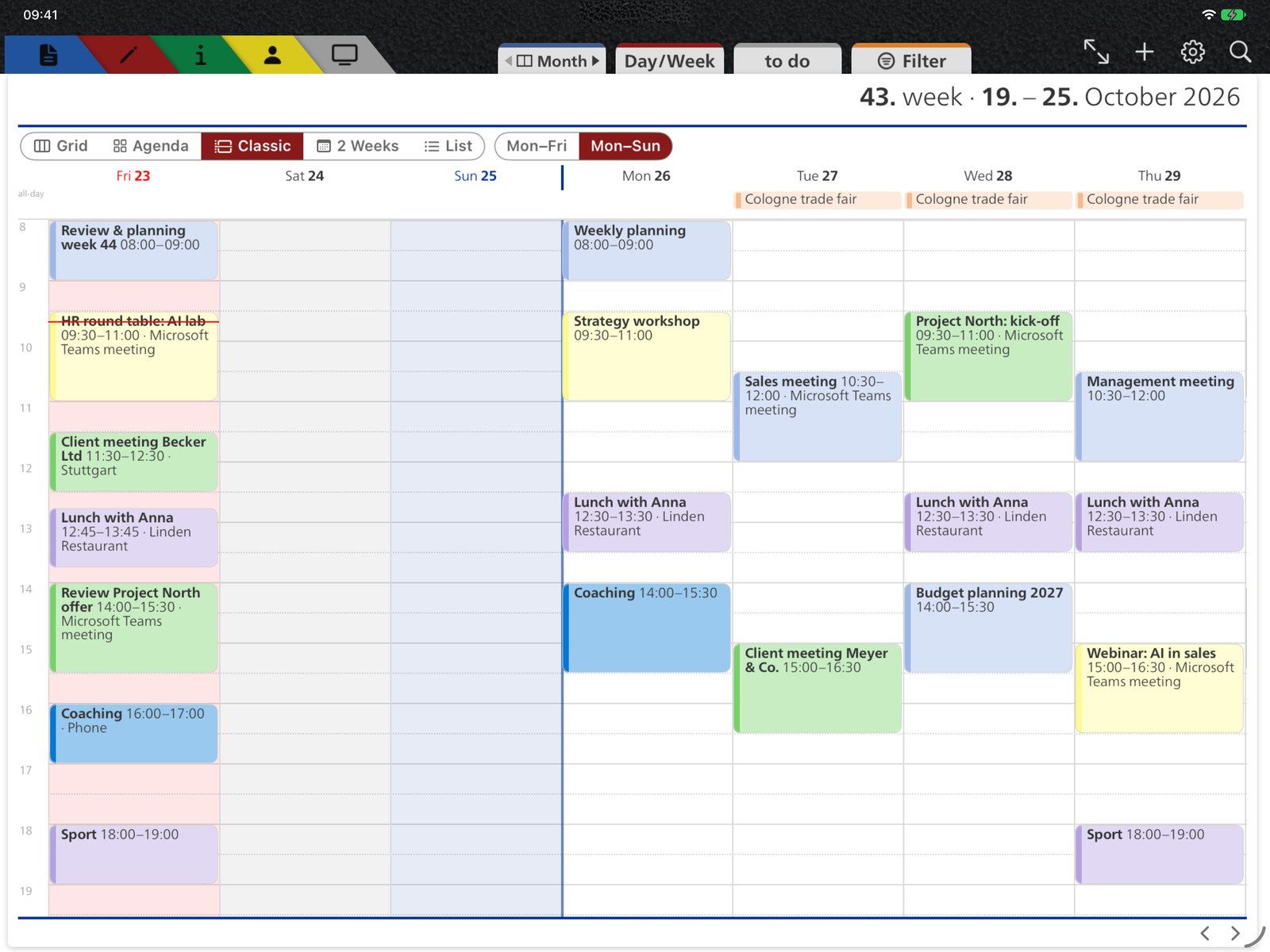
Classic: hours top to bottom, seven days side by side – with zoom; drag appointments to another time or another day.
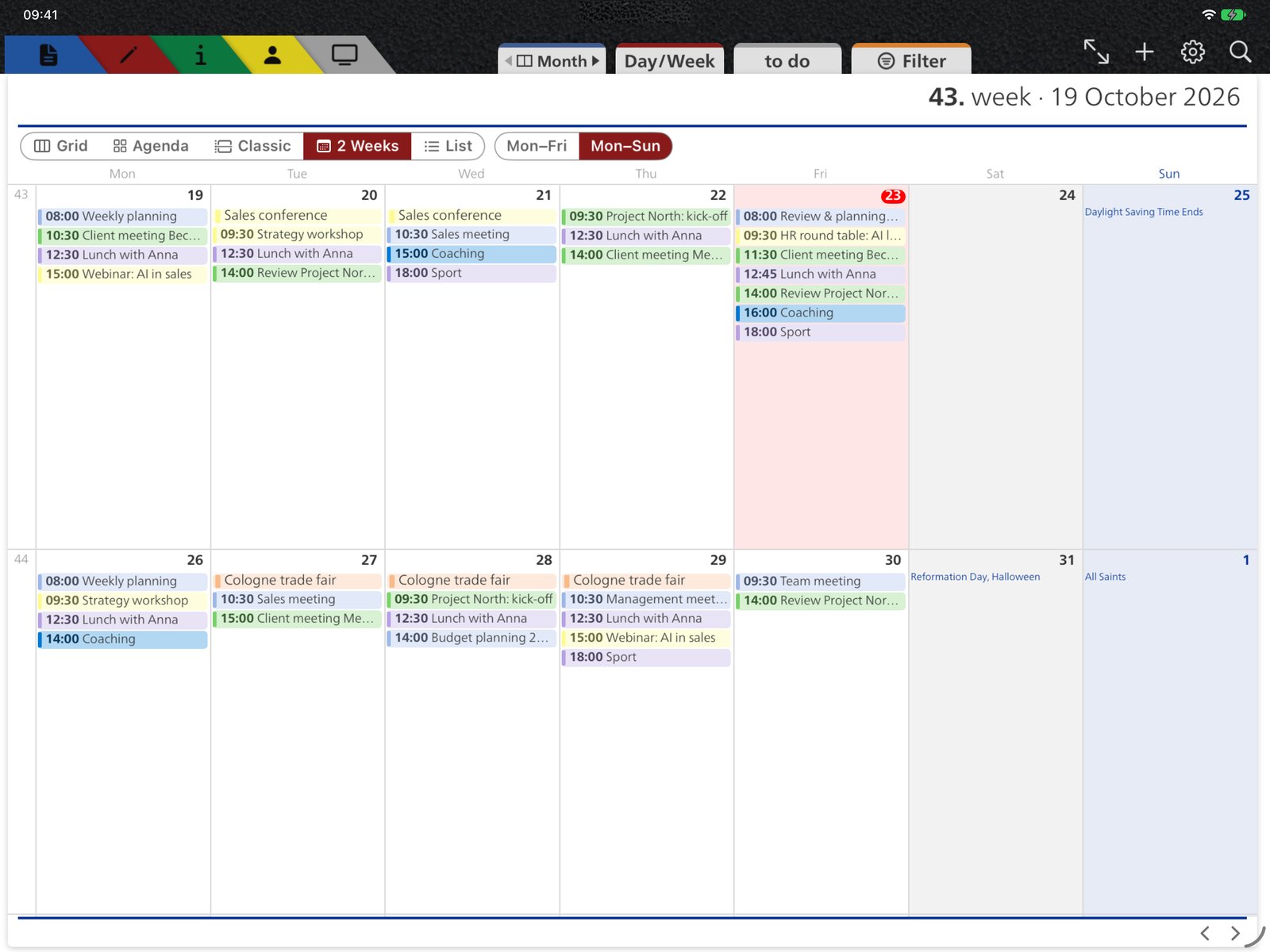
2+ Weeks: two or more weeks one below the other like a month – each week as tall as its busiest day, scrolling continuously.
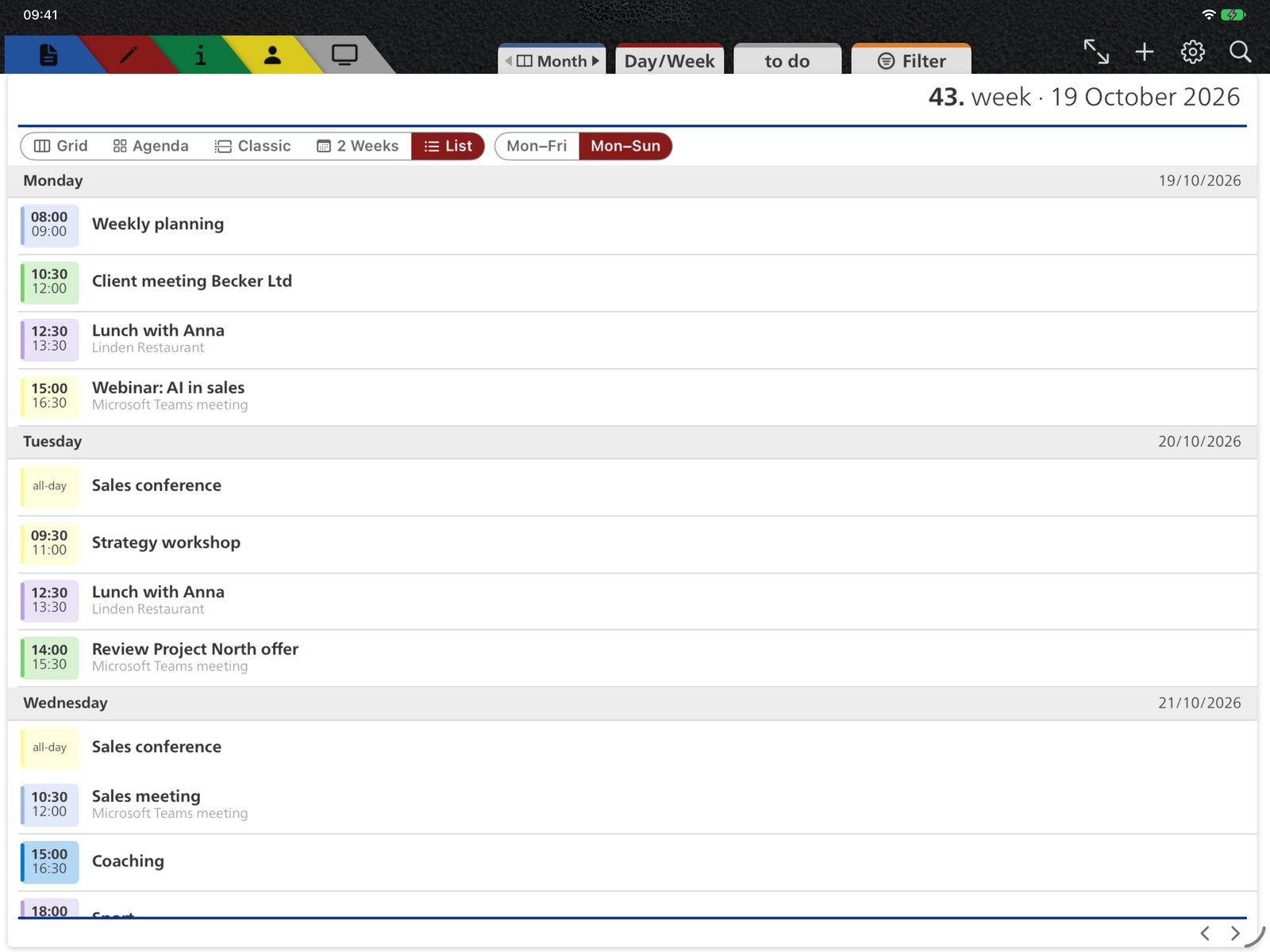
List: all events by day, with start and end time, place and Teams link.
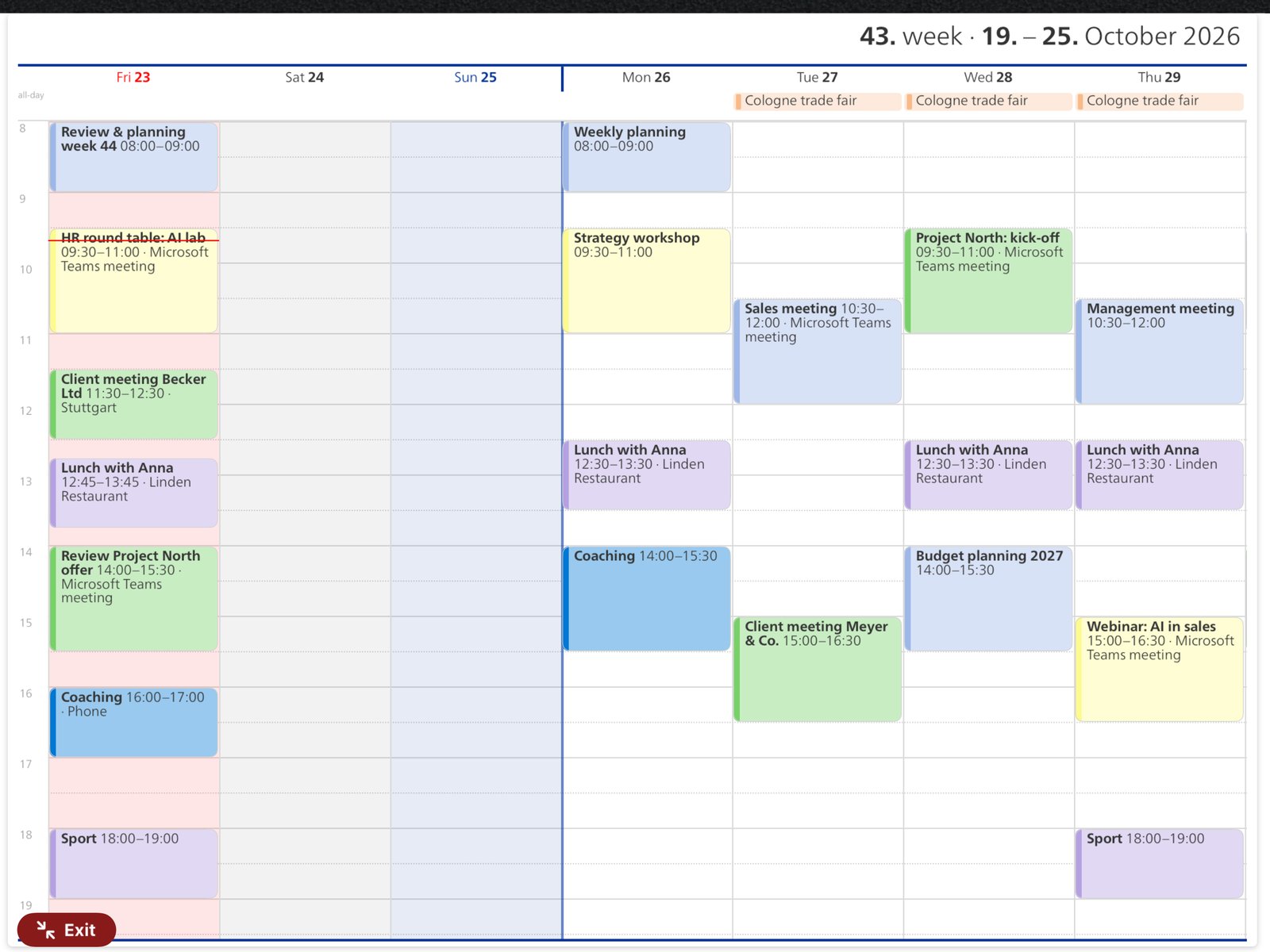
New in 2.1 · Full screen
The whole screen for your appointments
One tap on “Full Screen” hides the registers, tabs and bars – in day, week and month view.
All gestures stay
Swiping, zooming, dragging and tapping work as usual.
Clearly back
The red “Exit” button brings all controls back.
Filter by status and category
Show only what matters: for example only appointments marked “Busy”, or only certain Outlook categories. Set separately for month, week and day.
Second time zone
A second location in day, week and month view – with local time, time difference and its own hour bar.
Your own info sheets
Your own sheets from a file, scan, photo or text. Change the order and hide sheets.
On all your devices
Daily Compass, documents and info sheets sync via your private iCloud. Share and back up notes.
39.99 € per year, Professional included. Owners of Professional pay only 19.99 € for the first year.
New planner frame
More room for your day
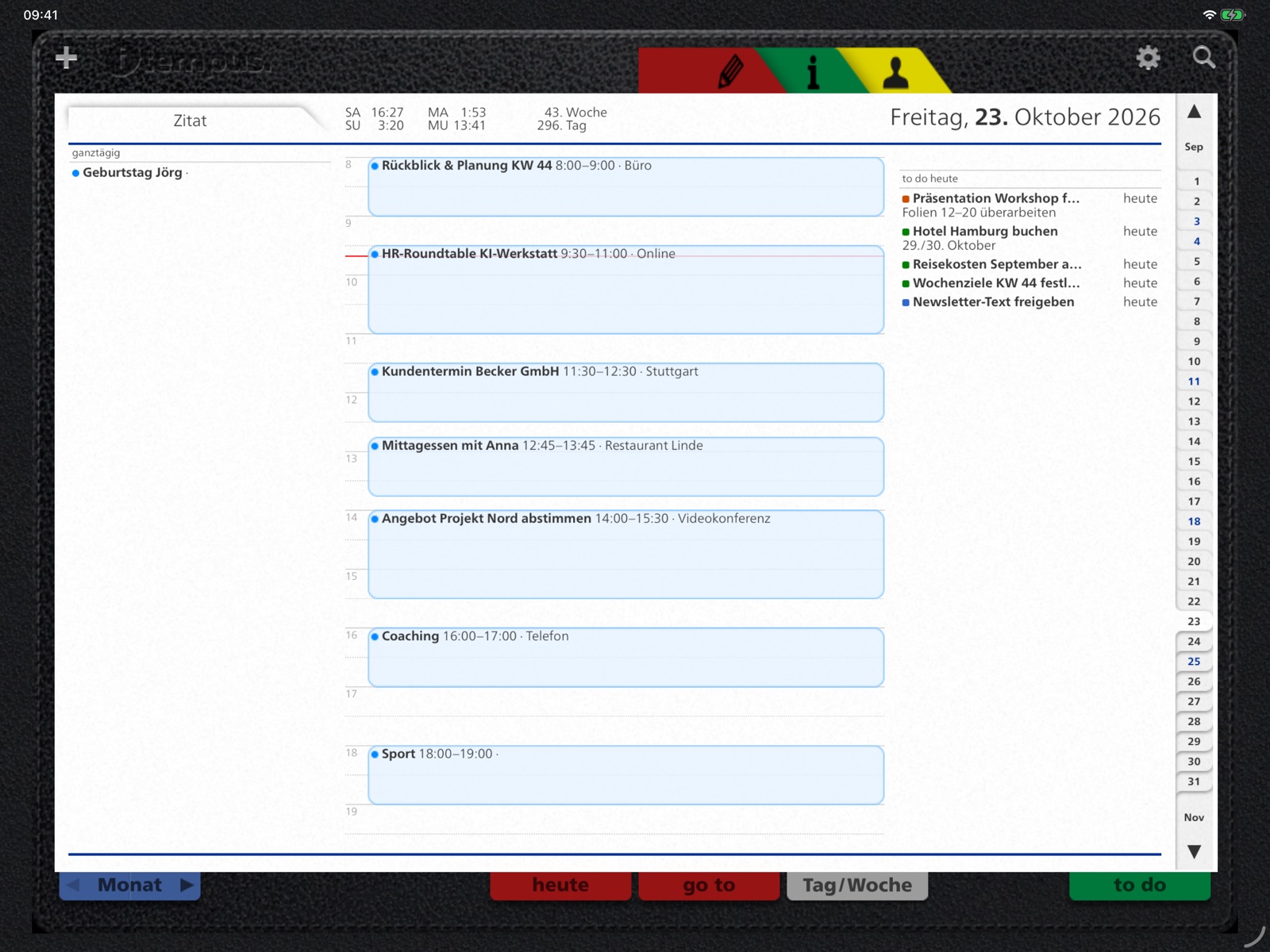
Before · 1.8
After · 2.0
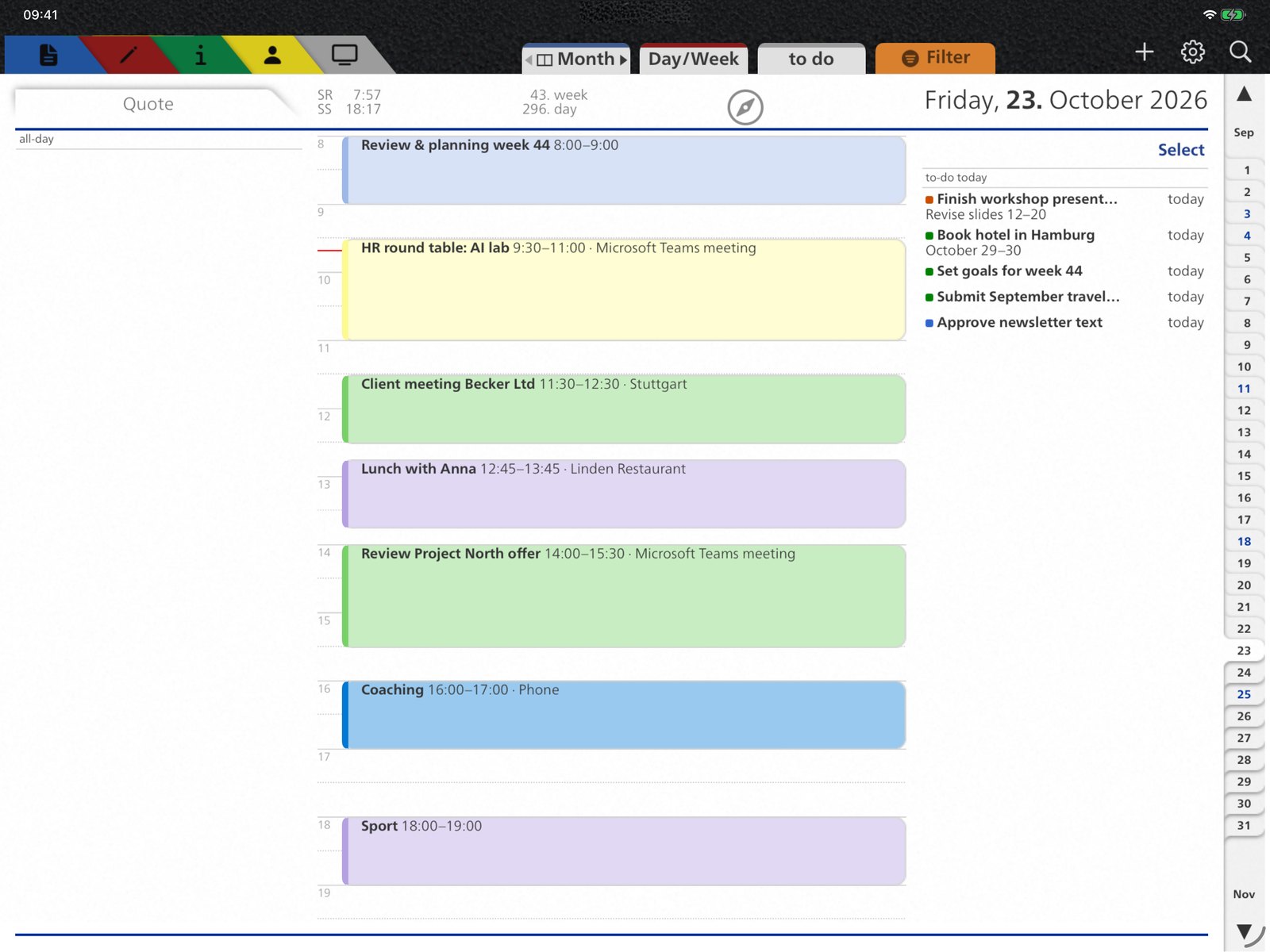
No more leather border: the page uses the full width. Tabs on top: month, day/week, today, go to, to do. Portrait: the page grows with it.
Day and week
New helpers for everyday planning
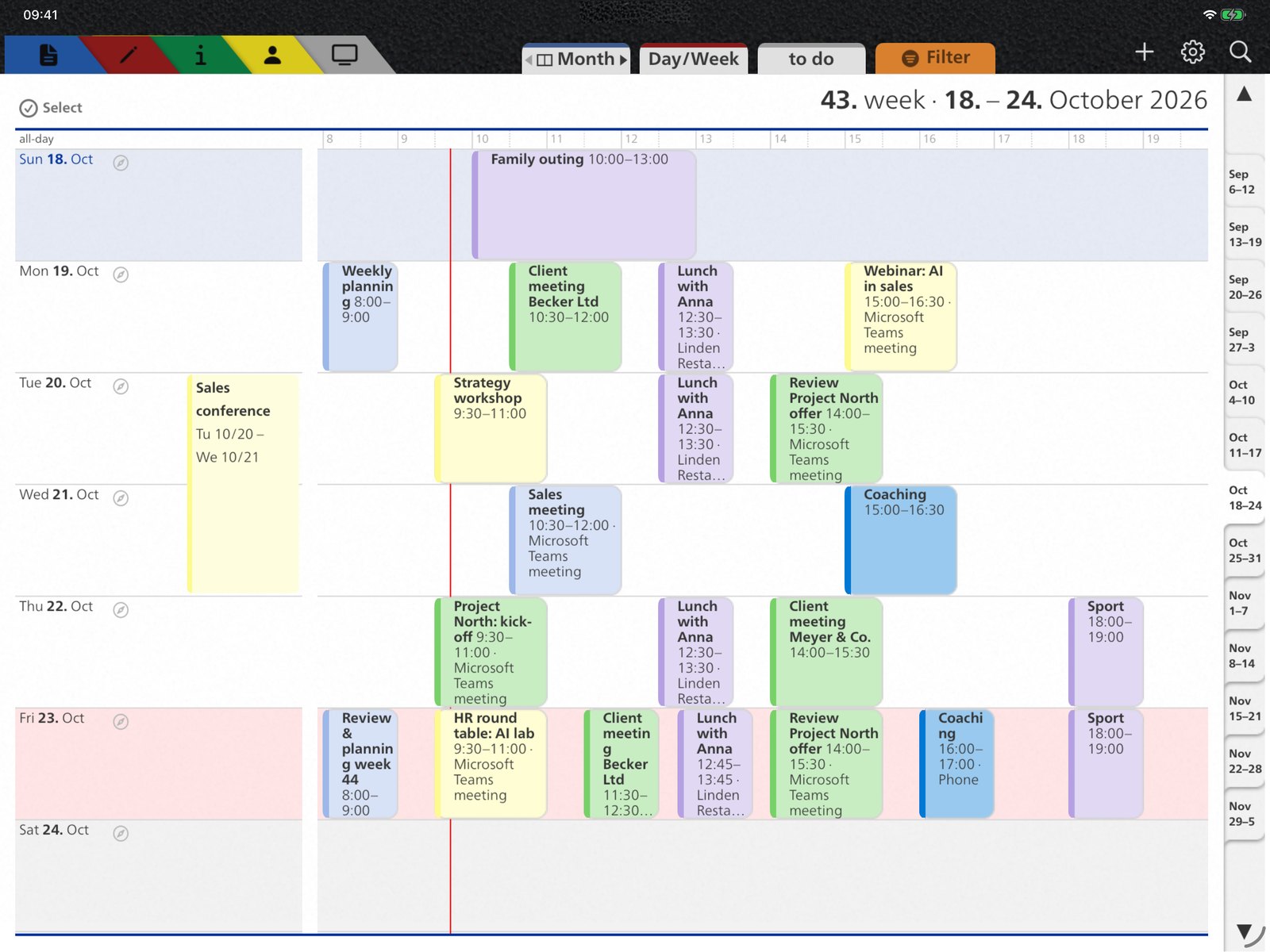
Week view 2.0: multi-day events as bars, compass icon for every day
- Multi-day events as bars: trips, trade fairs and holidays at a glance, in month and week view
- Smooth scrolling: month and week move on day by day; pinch with two fingers to show more or fewer days per page
- Drag appointments: in all week views also to other days, and across week and month boundaries; “Undo” reverses the step
- New appointment by touch: press and hold a day to open the editor
- Select: mark several appointments and delete them at once
- Month with times: start and end of each appointment right in the line
- The day starts with your working day: the day view shows 8 am to 7 pm – earlier or later appointments stay visible
- Filter tab: “Go to” for date and calendar week, “Today” button; with itempus Plus filter appointments by status or category
- 10-day weather and a compass icon for each day’s Daily Compass
- Tasks: complete, move or delete several at once
- Trade fair calendar and holidays for Germany, Austria, Switzerland and other countries
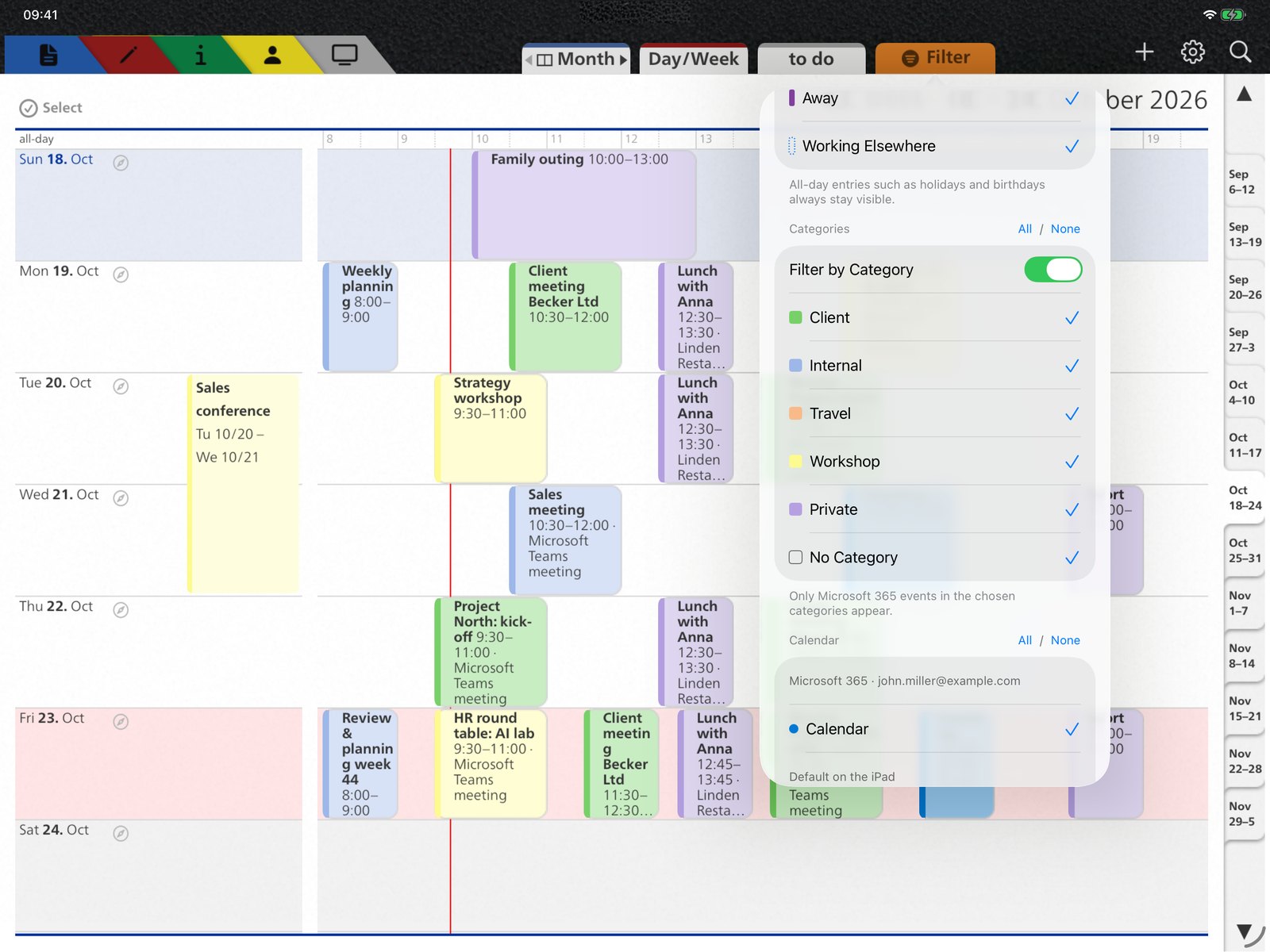
Filter tab: jump to a date or calendar week, back to today – and with itempus Plus filter by status or category.
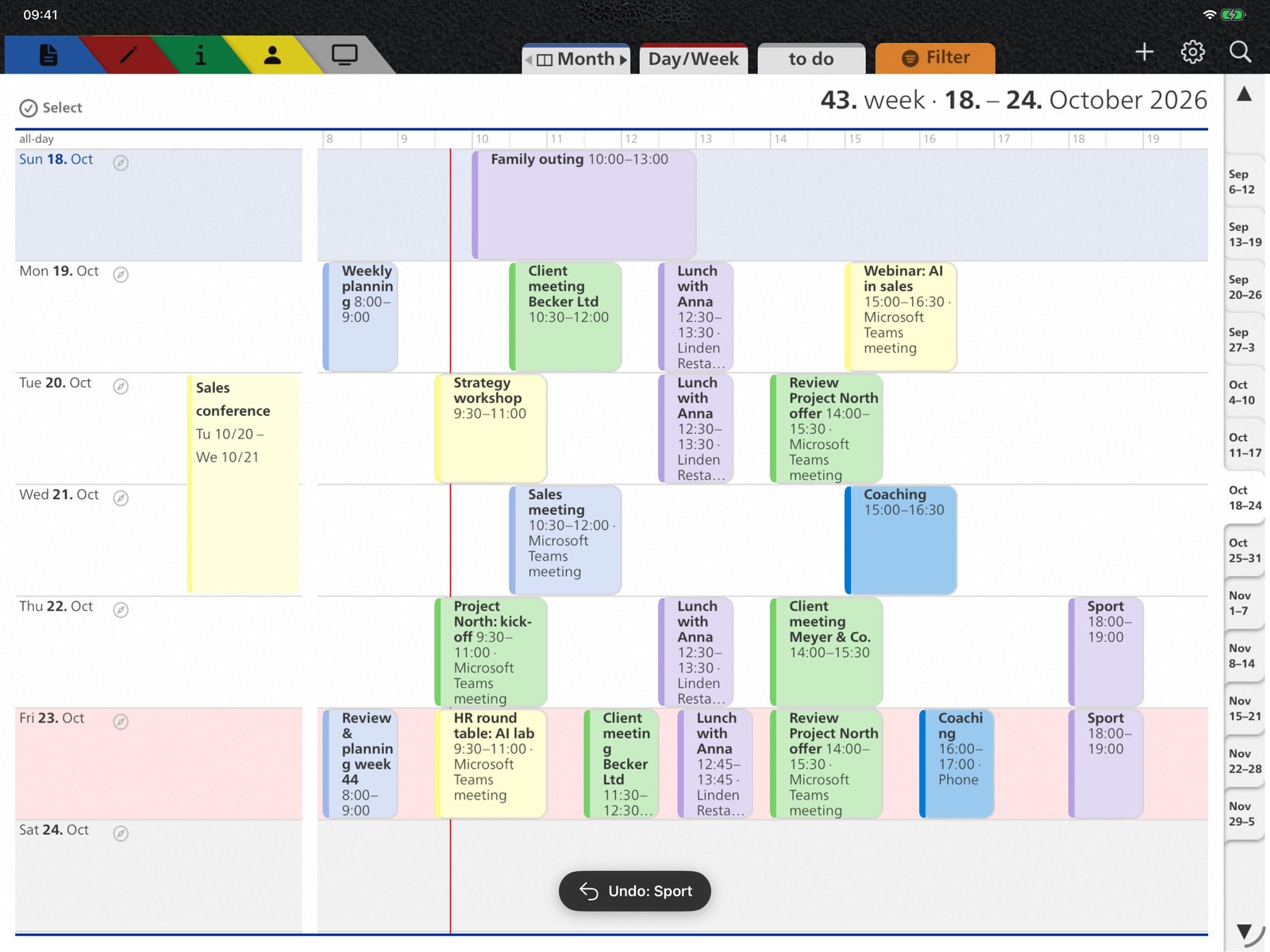
Undo: moved an appointment by mistake? One tap on “Undo” brings it back – after editing, too.
Your day in detail
Appointments, the day’s tasks, weather with a 10-day forecast, sun times and calendar week – with the month right beside it. A second tap on “Month” shows the month across the full width.
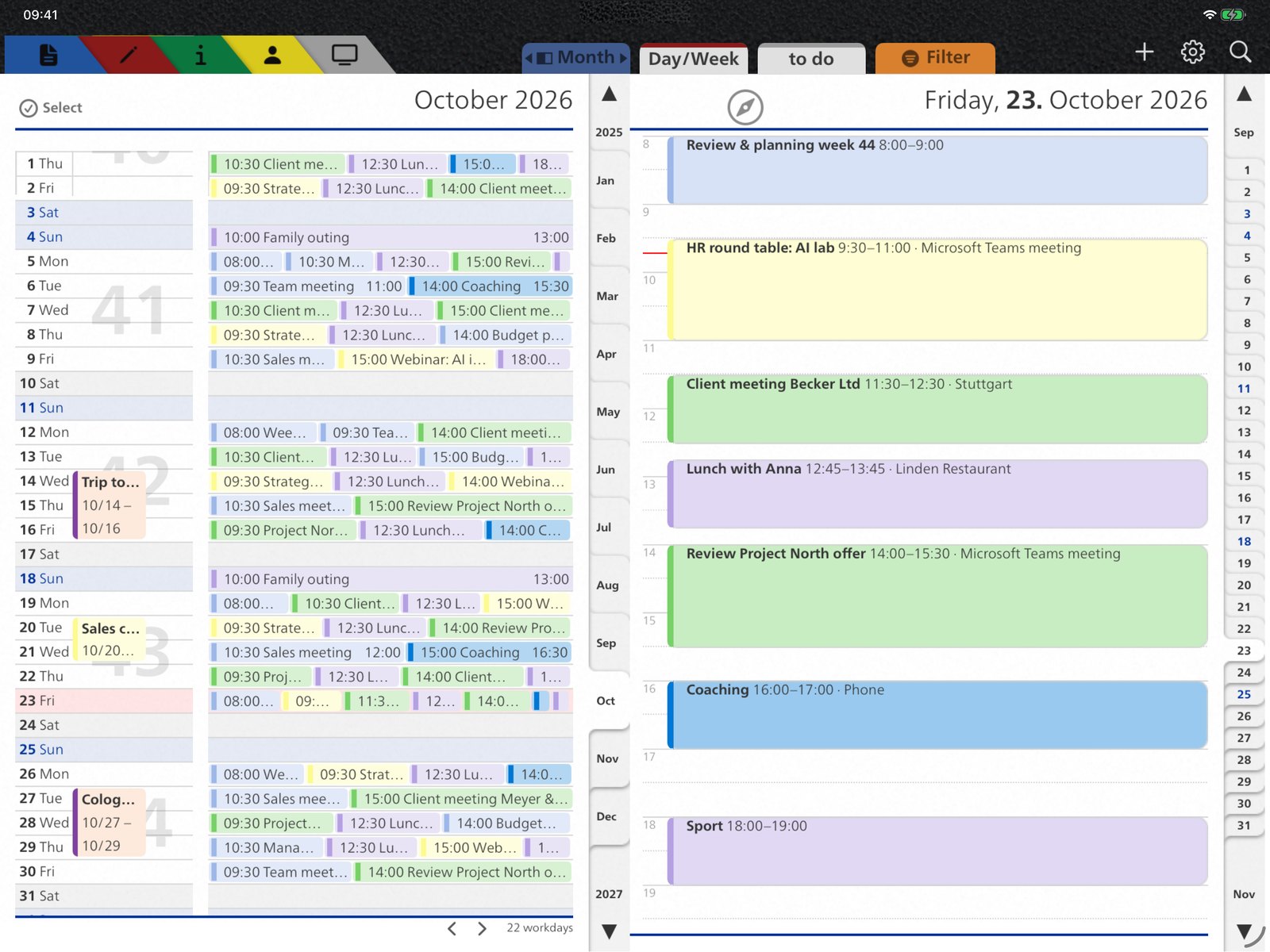
Knowledge in your planner
Tasks, info sheets and podcast
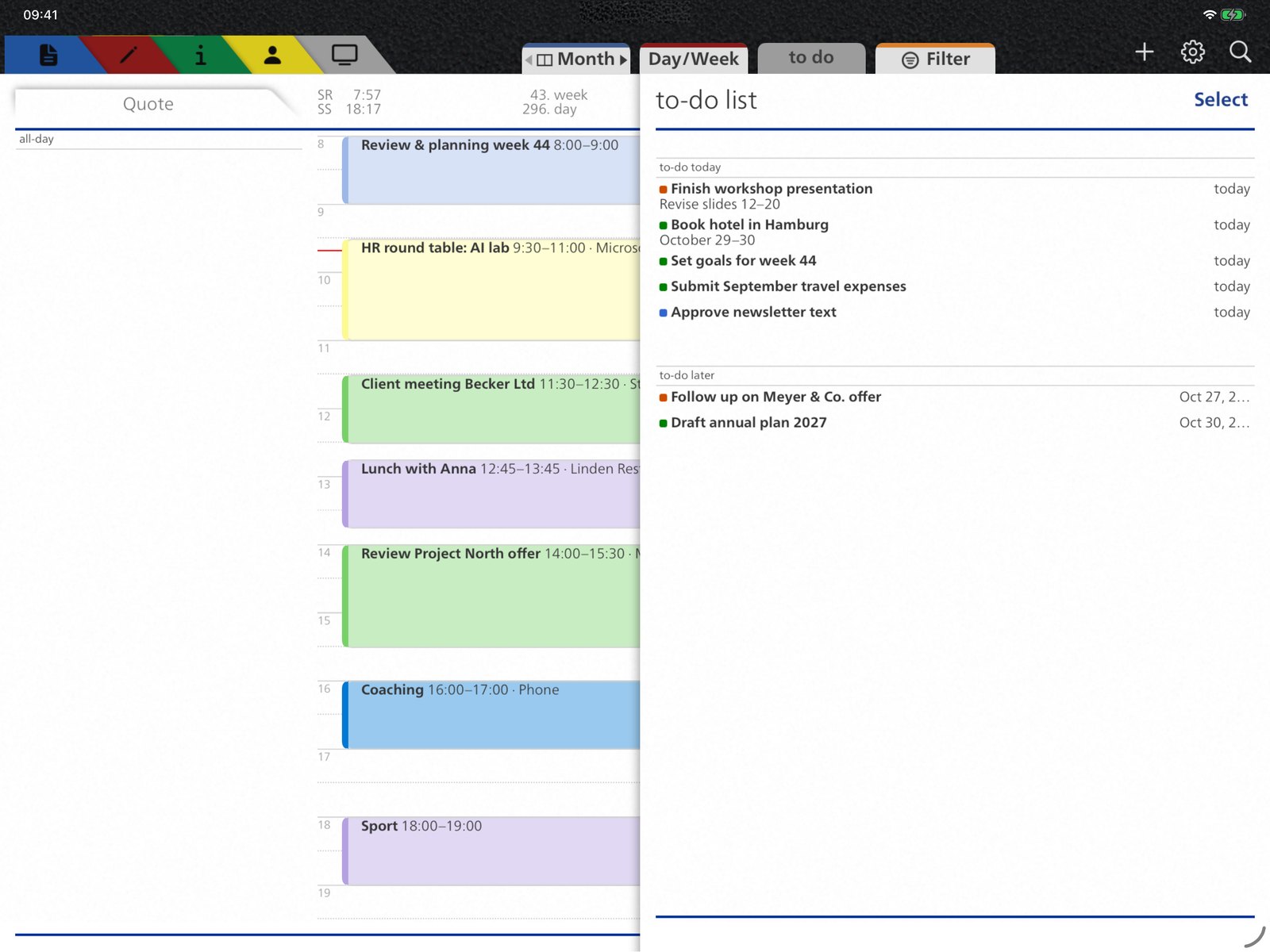
To-do list: your reminders by today, later and overdue – with multiple selection.
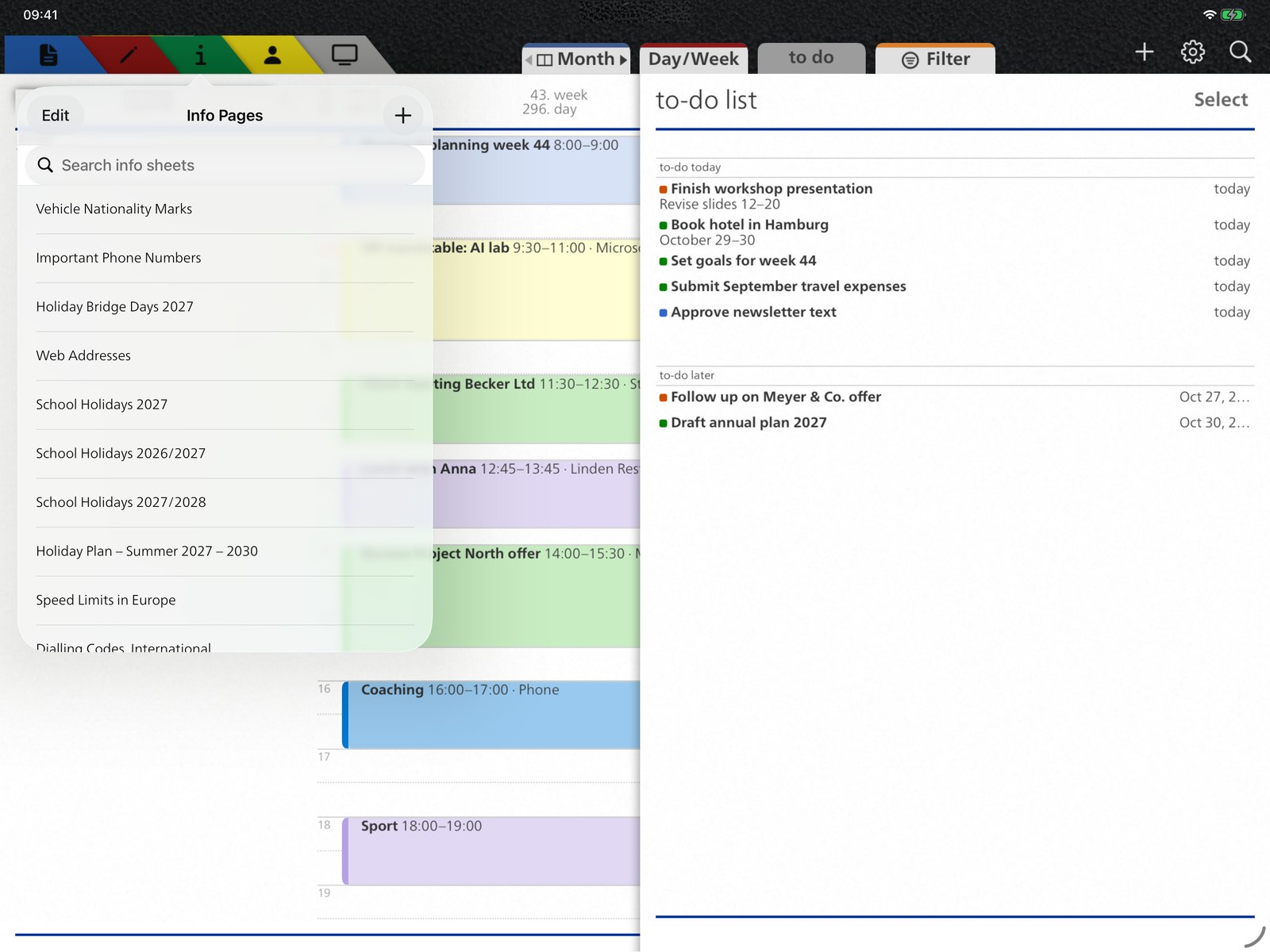
38 info sheets: school holidays, bridge days, dialing codes, travel expenses and more for Germany – updated in October 2026.
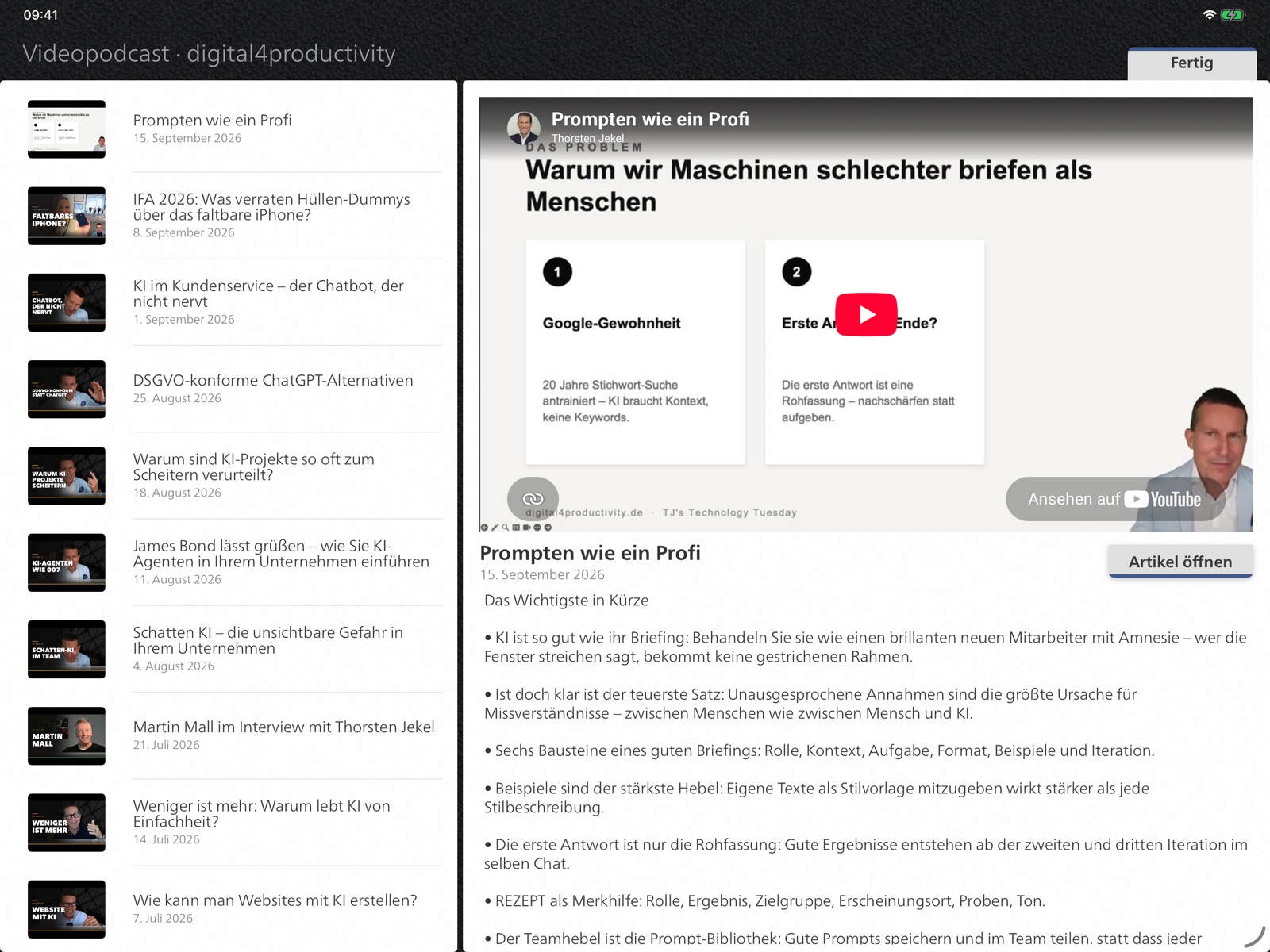
Podcast: the digital4productivity episodes as video or audio right in the app – with a short summary (in German).
Three editions
Start free, extend when you need it
Editions and prices apply since itempus 2.0.
Edition 1
Basic
0 € unlimited
- View appointments, tasks, contacts and holidays
- Year view, widgets and Apple Watch
- Light or dark
- Sun times and weather
- Podcast
Edition 2
Professional
19.99 € one-time
- No subscription
- Create and edit appointments and tasks
- Add entries by voice, photo, Siri and Apple Watch
- Notes and daily quotes
- Info sheets and trade fair calendar
Bought it before? Get your license back free of charge with “Restore Purchases”.
Edition 3 · Recommended
itempus Plus
39.99 € per year
Try 1 month free
- Professional included
- Vacation calendar: the whole year on one page, like a wall planner
- Connect Microsoft 365 directly – appointments in category colors
- Microsoft To Do with lists, steps and flagged emails
- Calendar groups such as “Work” and “Private”
- New week views, week widgets and full screen
- Daily Compass with Apple Pencil and daily goal
- Documents binder with tabs, also from OneDrive and SharePoint; mark up PDFs
- Filter by status, category and online meetings
- Your own info sheets, second time zone
- Share and back up notes
- Sync via your private iCloud
For Professional owners 19.99 € in the first year. Cancel anytime in your device’s Settings; your entries stay readable afterwards.
Comparison
| Basic | Professional | Plus | |
|---|---|---|---|
| View appointments, tasks, contacts, holidays | ● | ● | ● |
| Weather, sun times, podcast | ● | ● | ● |
| Year view, widgets, Apple Watch, light and dark | ● | ● | ● |
| Create, edit and move appointments and tasks | – | ● | ● |
| Add entries by voice, photo, Siri and Apple Watch | – | ● | ● |
| Notes, daily quotes, info sheets, trade fairs | – | ● | ● |
| Vacation calendar: the whole year on one page | – | – | ● |
| Microsoft 365 direct: categories, Teams, invitations | – | – | ● |
| Microsoft To Do: lists, steps, flagged emails | – | – | ● |
| Calendar groups and daily goal | – | – | ● |
| Week views Agenda, Classic, 2+ Weeks, List, full screen and week widgets | – | – | ● |
| Daily Compass with Apple Pencil | – | – | ● |
| Documents binder with tabs, OneDrive and SharePoint, PDF markup | – | – | ● |
| Filter by status, category and online meetings | – | – | ● |
| Own info sheets, second time zone | – | – | ● |
| Share and back up notes, iCloud sync | – | – | ● |
| Price | free | 19.99 € one-time | 39.99 € per year 1 month free |
Version history
What’s new?
itempus community on WhatsApp
Questions, ideas and sharing with other itempus users – right in the WhatsApp group. Note: all members of the group can see your phone number.
Version 2.4.7 November 2026
- Month: in the current month, today is in the top row
- Other apps (itempus Plus): open Apple Notes or OneNote from the notepad, the Files app or OneDrive from the documents with “Apps”
- Community: itempus community on WhatsApp in the settings and the welcome dialog
- Website link and version history in the settings; after each update a short note on what is new
Version 2.4.6 November 2026
- Month: events stand at their time – within morning, afternoon and evening like in the week view, as long as they last (iPad and iPhone)
- Now: a red line for the current time in the month and in the event lists too
- Voice entry: “on the 20th” after the 20th means next month; events on the days the clocks change in the right place
Version 2.4.5 November 2026
- Contacts: an event or task right from a contact – below the contact card or via “Share Contact”; every detail of the card goes into the note
- Notes: tap phone numbers and email addresses to open Phone or Mail; Microsoft 365 notes as text instead of HTML
- iPhone: notes in the day and week grid too
- Large documents that are only in iCloud Drive are found and downloaded
Version 2.4.4 November 2026
- Day and week: time before the title, location and notes below; Microsoft 365 event notes in full
- Widgets: “+” for a new event or task (with Professional)
- Calendars to show: change each calendar’s colour right there
- Faster Microsoft To Do sync, small bug fixes
Version 2.4.3 November 2026
- Flagged emails: the preview shows the email like Outlook – with formatting, colors, tables and links
- Links open with one tap; email content cannot run scripts, images load over encrypted connections only
Version 2.4.2 November 2026
- iPad day view: beside the half-open month all appointments from the morning on are visible again; the hours use all the free room
- Calendars to show: neater, every calendar with a dot in its color
- Speaking and writing: “on November 16” said after that day is added for next year
- Sharing and reading from photos: past dates in the text are no longer suggested as appointments
Version 2.4.1 November 2026
- Read from photo: the camera closes again; photos are read in their correct orientation and handwriting is recognized much better
- More kinds of pictures: notes, appointment cards, invitations, posters, tickets, forms with “Date/Time/Subject” and screenshots of emails, chats and calendars
- Change suggestions: adjust recognized appointments and tasks before adding them – title, location, appointment or task, all day, start and end – when speaking, writing, reading a photo and sharing
- Sharing from other apps: tick suggestions, change them and add only the ones you want
- Faster recognition of long texts, small bug fixes
Version 2.4 November 2026
- Entries by voice: tap the microphone button and say, for example, “Dentist tomorrow at 10 in Boston”. itempus recognizes title, date, time and location in 7 languages and shows the entry before saving it
- Read from photo: take a picture of an invitation, poster or note – itempus suggests the appointments it contains
- Share from other apps: share text from Mail, Messages, WhatsApp or Teams with itempus; you check off what gets added
- Siri and Shortcuts: “New appointment in itempus”, “New task in itempus”, “What’s on today in itempus?” – in the car too. Deleting and moving only after you confirm
- Apple Watch: the day’s appointments and tasks, turn the Digital Crown to move through the days, check off tasks, dictate new entries; complications for the watch face. Viewing for everyone, adding entries with Professional
- Year view: all appointments of the year as dots; one tap opens the day
- Vacation calendar (Plus): absences, school holidays, public holidays and trade fairs of the year on one page, like a wall planner – with calendar groups, search, your own colors and iCloud sync, also as a widget and via Siri
- Light and dark: Settings › Appearance, with a dark planner page
- iPad: several itempus windows side by side, each with its own date; adjustable widths for the morning, afternoon and evening columns in the month; year and vacation calendar right in the month header
- iPhone: swipe up or down to change weeks, month with adjustable columns, full screen for year and vacation calendar too
- Online meetings: appointments with a Teams, Zoom, Meet or Webex link are marked; “Online meetings only” filter (Plus)
- Documents (Plus): mark up PDFs with Apple Pencil and save them to the original; link documents straight from OneDrive and SharePoint
- One country and region setting for holidays, info sheets and trade fairs; faster loading of month and week; the Face ID lock for the Daily Compass has been removed
Version 2.3 November 2026
- Widgets for the Home Screen, Lock Screen and Control Center: Month, Today, Agenda and Tasks; week widgets with itempus Plus
- Calendar groups (Plus): combine calendars into groups such as “Work” and “Private” and show or hide them with one tap
- Daily goal (Plus) above the tasks: tick it off and edit it; handwritten goals are recognized
- iPad day view: swipe sideways to change days; more compact task column
- Setup: iCloud first, take over the settings of another device, status display while loading
- Mail preview shows the full text of flagged emails
Version 2.2 November 2026
- Microsoft To Do (Plus): lists, tasks with steps, flagged emails and “Assigned to me” – in the to-do list and in the day view
- Sort and filter tasks, plan them by drag and drop, create new lists, turn tasks into appointments and back
- Flagged emails: when you complete or delete a task, delete the email too if you like
- Setup assistant with “Back” and the status of permissions
- Documents: every device keeps its own link
- Settings › iCloud shows the sync status
- “Sync now” in every view, moon times with a tap, quick actions on the app icon
Version 2.1.2 November 2026
- Month calendar: tap “all-day” to widen the column so birthdays and holidays can be read in full
- Tap a date: all events of the day at a glance, “Open day” goes to the day view
- Hold a free spot to create a new appointment on every device
- iPhone: notes are visible again while you type
Version 2.1.1 November 2026
- Setup assistant on first launch and after buying itempus Plus
- Try itempus Plus free for one month (new customers)
- Microsoft 365: changes from other devices show up faster
Version 2.1 November 2026
- iPhone: itempus now runs on the iPhone too, with two pages on foldable iPhones
- New week views (Plus): Agenda, Classic, 2+ Weeks and List, plus full screen
- Drag appointments in all week views, also to other days
- iCloud sync of the Daily Compass, notes, info sheets and document tabs
- Info sheets per country and five new languages
Version 2.0.1 November 2026
- Windowed mode on iPad: buttons such as “Done” no longer sit under the window controls at the top left – in portrait and small windows too
- Daily Compass backup: “Back Up Now” shows the real result and names the reason if OneDrive refuses; the status updates right away
- English: itempus 2.0 now speaks English – planner, settings, Daily Compass and info sheets
- Info sheets: facts checked and corrected
- Minor fixes and optimizations
Version 2.0 November 2026
- itempus Plus: connect Microsoft 365 directly (Outlook calendars, categories, Teams, invitations, attachments), Daily Compass with Apple Pencil, PDF backup, documents binder, own info sheets, second time zone, filter by status and category
- New planner frame, optimized for portrait
- Multi-day events as bars in month and week
- Smooth scrolling with two-finger zoom; drag appointments across months
- Undo after moving and editing, Select to delete several appointments
- Month with times, day view starts with your working day
- Weather with a 10-day forecast in the day view
- Tasks: multiple selection, show or hide completed tasks
- Duplicate appointments, podcast as video and audio
- Much faster at launch and while scrolling
Version 1.8.1 October 2026
- Much faster: switching months, launch and new appointments without delay
- More stable: fixed a crash when swiping in the month overview
- Day view: appointments without overlap use the full width
- Full-screen month with a clear right edge
Version 1.8.0 October 2026
- Fresh start for iPadOS 26, also in windows and Split View
- Professional as a one-time purchase, earlier purchases can be restored
- Current info sheets and trade fairs until 2030
- More privacy: no analytics services, all data stays on the iPad
Your data stays with you.
itempus uses your iPad’s calendars, reminders and contacts. Whatever you sync via iCloud, Google or Exchange appears in itempus automatically. If you connect your Microsoft 365 account with itempus Plus, the data travels directly between your device and Microsoft – your To Do tasks too. itempus changes flagged emails only when you ask it to: it removes the flag or moves the email to Deleted Items. The Daily Compass and the documents binder stay on your devices, in your private iCloud or in your OneDrive. itempus runs no server of its own and uses no analytics or advertising services.
For iPad and iPhone with iPadOS or iOS 17 or later
Get itempus on the App Store.
Current version: 2.2 with Microsoft To Do.
Questions and feedback: t.jekel@jekelteam.de
Want to make your team more productive with the iPad? iPad consulting and training